



Bluetooth GPS Spoofing: 3 Spoofing Tools Solution Guide

Edited by Caroline Ryan | Dec 12, 2025 | Virtual Location
In this digital age, where our personal data is needed for us to access various applications and platforms to fully utilize features and services, we can not guarantee to secure and minimize our internet activity minimal as it becomes part of the way life goes. Thus, as we use Bluetooth-connected tools and applications in our daily lives, GPS spoofing Bluetooth is the practice of changing a device’s location to trick these various apps and applications that feed on our location and personal data without our knowing. That’s why this article will cover the things you need to know about Bluetooth GPS Spoofing, what it is, and why there is a need for it. Moreover, to fully understand it, this article has also listed three practical spoofing location tools to help you protect your personal data by spoofing your device's location virtually, with step-by-step instructions for each tool.

Contents:
Part 1. Things About Bluetooth GPS Spoofing Solutions
device's location, or, in essence, modifying it to use a different location, with the user physically going to that location. This process is usually a lot easier to perform compared to the traditional way of location spoofing, where it requires the device to be jailbreak, which is quite a process.
Why is there a need for spoofing Bluetooth GPS? Spoofing a device’s GPS location via Bluetooth has been the go-to method for some users because it is more reliable, safer, and quicker. However, doing this will not guarantee it will work across various applications and platforms, as this method is usually used in gaming applications.
Part 2. 3 Best Bluetooth GPS Spoofing Tools
AnyCoord
AnyCoord is considered one of the best Bluetooth GPS spoofing tools because it works on both Android and iOS devices and bypasses device location, making it guaranteed to work across a broader range of applications, platforms, and services.
Key Features
• Set up a virtual location on the device.
• Fake displayed location on social media and dating applications.
• Safely hides your location data.
• Spoof location and simulate walking movements in the style of AR-based games.
• It has a virtual map for accurate mapping.
Steps to Use AnyCoord
Step 1. Download and install the AnyCoord tool on your desktop device (Windows or Mac).
100% Secure & Clean
100% Secure & Clean
Step 2. Once the software is fully installed on your desktop device, before you open the software, make sure to connect your mobile device to your desktop via a cable to change its location virtually.
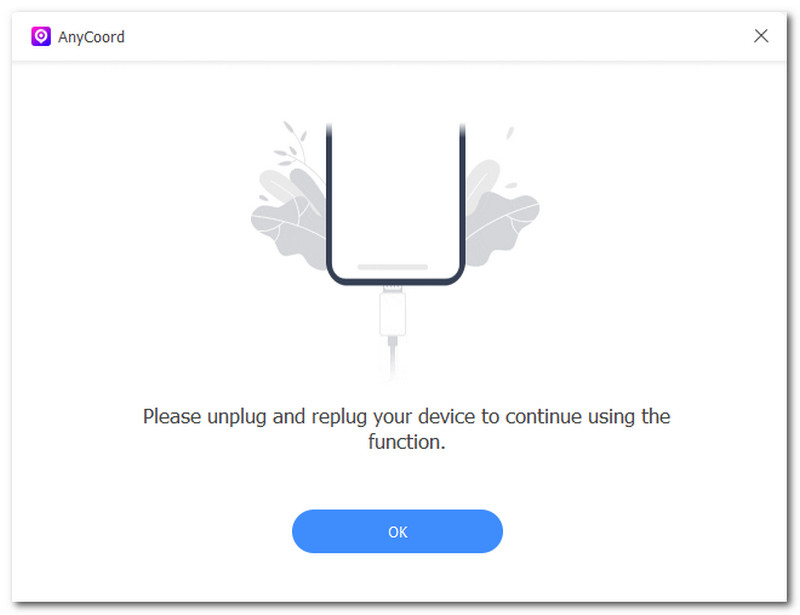
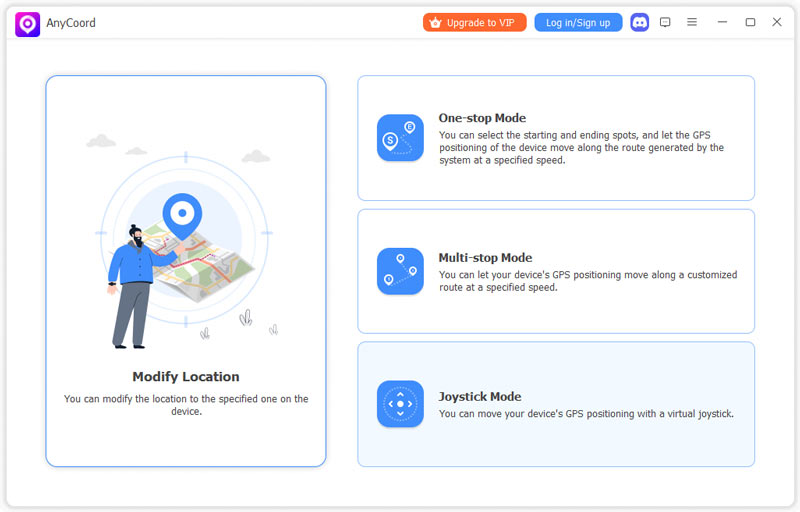
Step 3. Only after you have connected both of your devices may you proceed to open the AnyCoord software. From its main interface, select the Modify Location option to proceed.
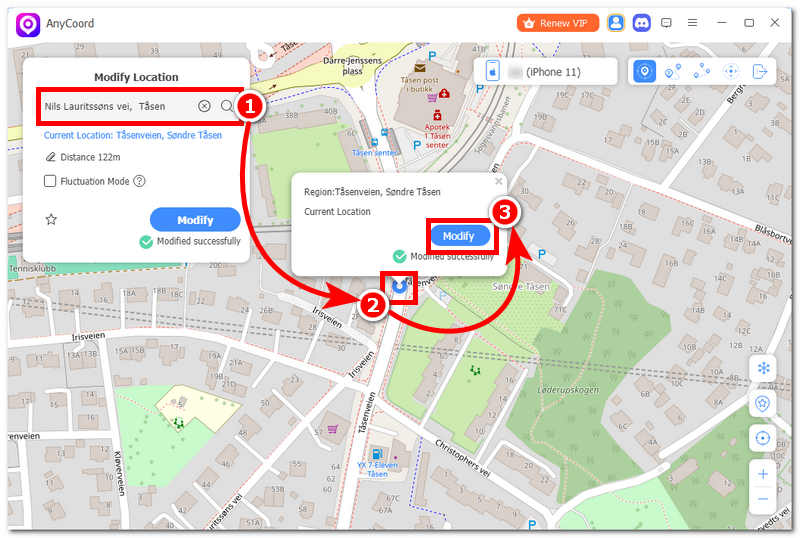
Step 4. Once you are redirected to the Modify Location page, use the search bar field to find a location you want your mobile device to use temporarily. Once you have your area set up, click on the Modify button to finally start the spoofing process. Once it is done, you can check your mobile device's location and see that it has been set to use your virtual one successfully.
Pros
- Easy to install and use location spoofing tool.
- Lightweight on the device.
- Simulation of movement and customization of travel speed for a more natural moving.
- It has a virtual joystick controller for more controlled movement.
Cons
- Wireless GPS spoofing is currently unavailable on iOS devices.
iTools
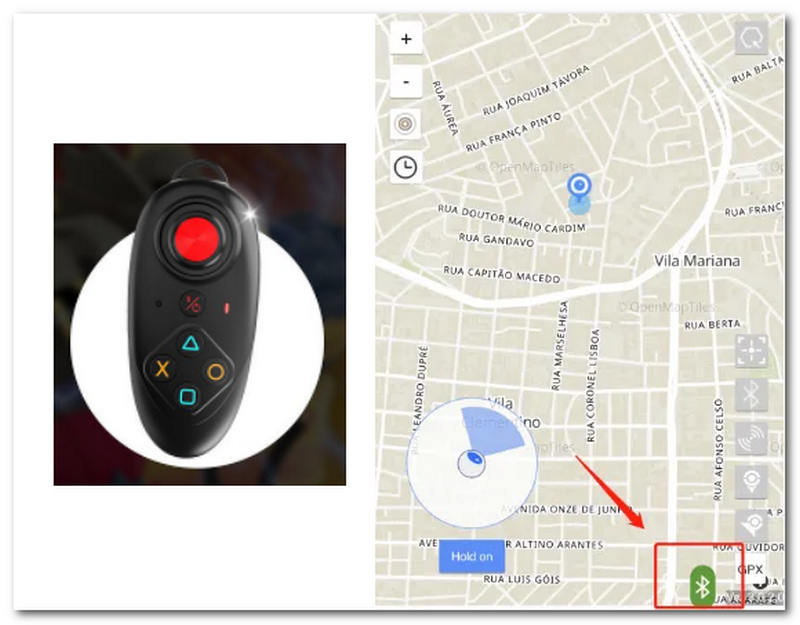
iTools is a GPS Bluetooth spoofer device and application that lets users simulate and spoof their mobile device's location via a Bluetooth connection to the device itself. It is an external device that looks like a small dongle, connected to the mobile device and acting as a physical controller, allowing the device to simulate walking movement without the user actually moving.
Steps to Use iTools
Step 1. First, to use iToolsBT to spoof your mobile device's location via Bluetooth, you must have the physical iTools device with you and the iToolsBT app installed on your
Step 2. Turn on the iToolsBT device and pair it with your mobile device via Bluetooth.
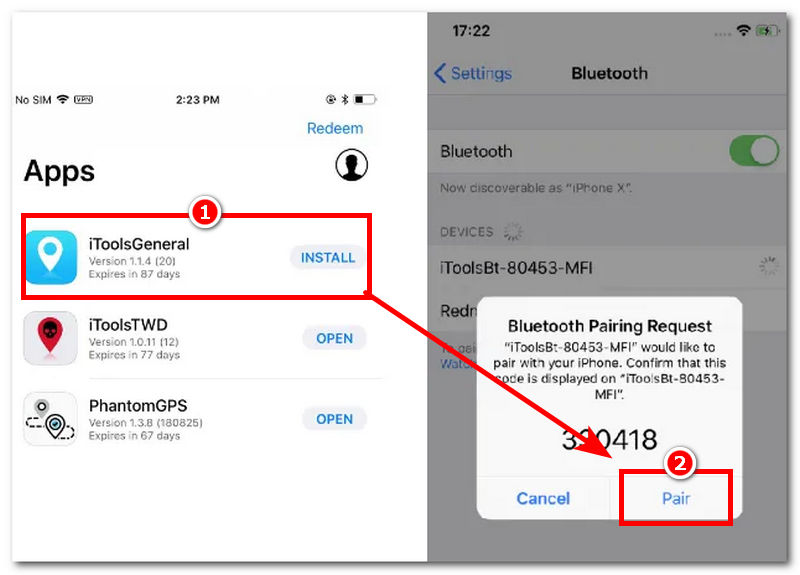
Step 3. Once the pairing is complete, open the iToolsBT application on your mobile device, then, from its main interface, enter the GPS coordinate or search for the location you wish to set your mobile device's location. Once you have your location fully set, merely confirm the changes to proceed.
Step 4. Now that you have spoofed your mobile device's location to your preferred location, use the iToolBT controller to simulate movement, letting your mobile device move freely along your desired route, virtually without you actually moving.
Pros
- Can simulate movement from one place to another.
- Easy-to-use tool.
- Can customize travel speed and movement.
- Wide compatibility support for location-based apps and games.
Cons
- Connecting your device wirelessly may show an error or a connection problem.
- It may not work with the latest and current mobile applications.
iWhereGo
iWhereGo Genius is a location-based Bluetooth GPS spoofer that will require users not to move from place to place just to change their device location; instead, the tool will simulate virtual movement to trick users’ device location services into thinking they are actually moving.
Steps to iWhereGo
Step 1. Download and install the iWhereGo desktop application on your Windows or Mac device. Once the installation is complete, connect your mobile and desktop devices via Bluetooth.
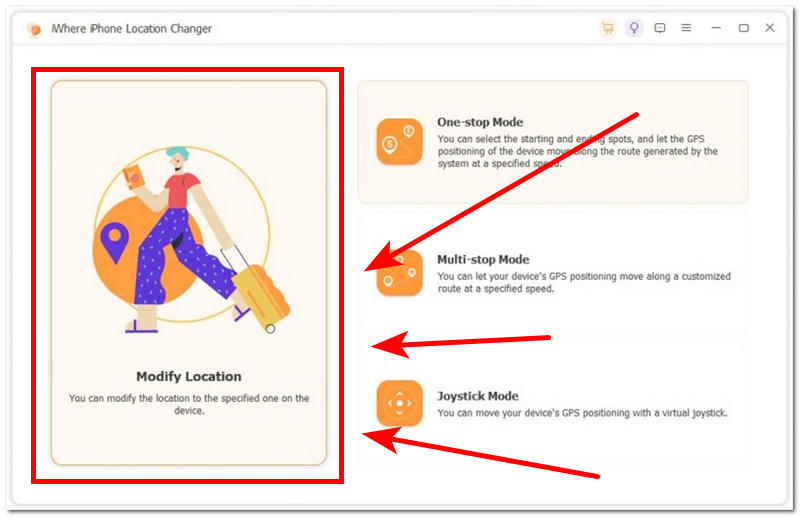
Step 2. Open the software tool, then, from its main interface, choose the Modify Location option.
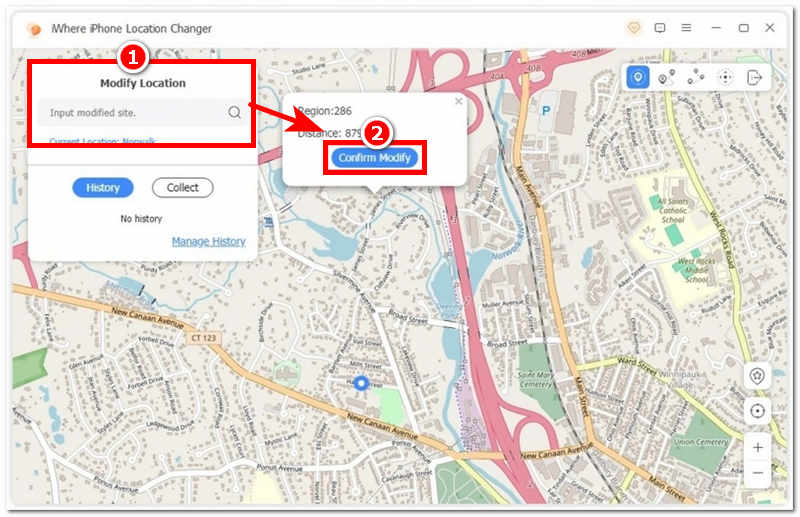
Step 3. After selecting the Modify Location option, you will be redirected to a new window that displays a full-view map of your current location.
Step 4. Head over to the search bar field section and from there search for a location or places you want your mobile device to use. Once you have the location set, click Confirm Modify to spoof your mobile device's location.
Pros
- No jailbreak or rooting of the device is needed.
- Lightweight desktop-based GPs spoofing tool.
- Equipped with anti-detection features.
- Support the simulation of movement across different locations.
- Can instantly change device location.
Cons
- The free version of the tool offers limited access to and use of its features.
- There is a potential risk of getting your account ban when used in mobile games.
Part 3. FAQs about Bluetooth GPS Spoofing
Is Bluetooth GPS spoofing the same as traditional GPS spoofing?
No, traditional GPS spoofing of a device usually involves a complicated process that involves jailbreaking or rooting the device, whereas Bluetooth GPS spoofing only requires a software tool and a wireless Bluetooth connection to spoof a device's location.
What do people commonly use Bluetooth GPS spoofing for?
People usually use Bluetooth GPS spoofing tools for app testing, progress in location-based games, navigation testing, privacy testing, and more.
Can Bluetooth GPS spoofing damage my device?
No, using of Bluetooth GPS spoofing tool will not damage your mobile device. However, when using so, expect performance problems such as faster battery drain, occasional glitches and bugs with location-based apps and services, and reduced accuracy in map navigation.
Conclusion
Finally, Bluetooth GPS Spoofing can be of great help when used for the right purpose, as it can help users limit the leakage of their personal data, especially their location, when using a location-based platform. This article has explored three Bluetooth GPS location changer tools to showcase how they work and, maybe, serve as your guide when you need one.


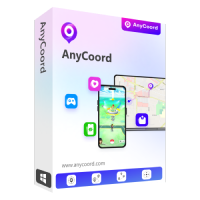
AnyCoord is the best tool to change, hide, or spoof your location in games, social media apps, and other apps on iPhone or Android devices.
100% Secure & Clean
100% Secure & Clean