



Surfshark GPS Spoofing: A Review of the Overriding Tool

Edited by Caroline Ryan | Dec 12, 2025 | Virtual Location
Have you ever heard of a better way of keeping your internet activity and information safe? Using a GPS spoofing tool may be the answer you have been looking for. Surfshark, a GPS location spoofing tool, allows users to remain anonymous, keeping their internet activity hidden and protected from malicious websites that exploit their data. Apart from keeping users’ activity and information hidden, a GPS spoofing tool like Surfshark changes GPS location to allow users to access geo-restricted content worldwide, making it easy for them to access it without changing or travelling to a specific location. However, as convenient as it seems, the GPS location tool has been subject to a lot of false information and advertising on the internet, leading to a decline in user trust in its use. But fret not, as this article will use this opportunity to clear out some misinformation about the GPS location tool and will use the Surfshark GPS location tool to showcase what makes a great location spoofing tool by reviewing its key features, showing you actual steps in using it, its pricing plan, limitations, and its alternative.
Contents:
Part 1. Overview of Features
Surfshark is among the most trusted and popular GPS location spoofing tools for both mobile and web browsers, allowing users to easily switch locations without any hassle. Developed to protect users’ online activity and encrypt their internet traffic by hiding their IP address, making hackers or suspicious users to track their activity and use their data for their own gains. Below is an overview of the features of Surfshark GPS spoofing to fully grasp what makes this tool different from its competitors
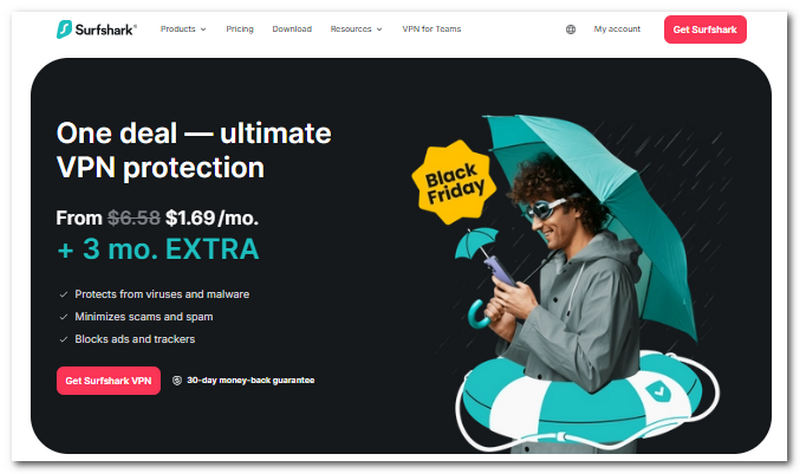
• Fake GPS Location. Surfshark can get your device to switch to and use another location virtually, without you having to physically go there. You can also achieve fake GPS by using 360.
• Simulate GPS Movement. Users can also simulate walking, acting as if they are moving from one place to another, to avoid being flagged for using third-party tools. This is a perfect feature for when users are using an application that relies on GPS movement, like dating apps or mobile games.
• Cross-platform Compatibility. Surfshark is a functional tool that supports a wide range of mobile applications, software, platforms, and services for spoofing user locations.
• Camouflage Mode. Allows the user device to hide the fact that it is actually a GPS location spoofing tool.
• Split Tunnelling. Users can select which apps and platforms can use the spoofed location and which don’t.
• Access Geo-Restricted Content. Allows users to virtually use other location servers to access regional content.
Part 2. How to Use Surfshark GPS Spoofing
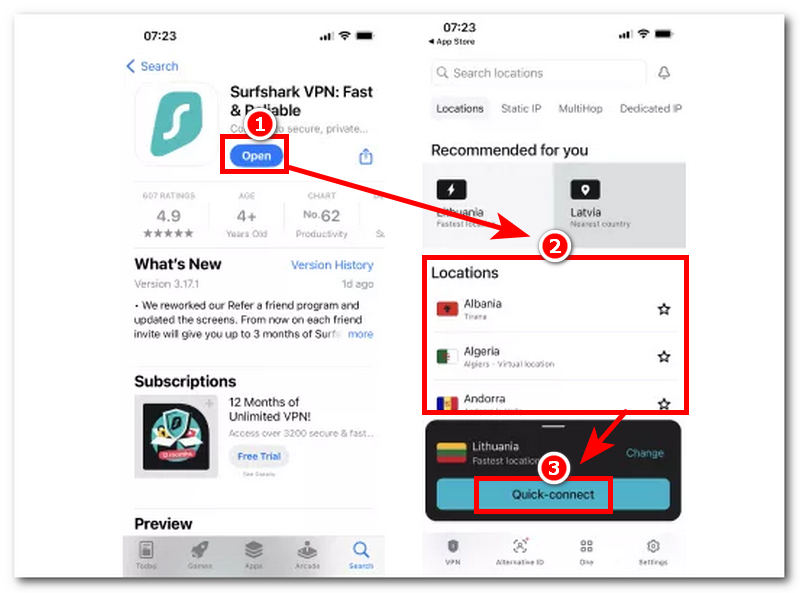
In this section, you will know how you use Surfshark GPS override iOS/Android devices under a general process of using the mobile application version of the tool, which is accessible on both app stores for Android and iOS.
Step 1. Using your mobile device (iOS or Android), go to your App Store and from there locate and install the Surfshark application.
Step 2. Once the application is fully installed, proceed to launch the app.
Step 3. Once you are on the app’s main interface, you will see all the location servers available for you to use. From the location list, choose the location you wish to use as your device’s temporary location.
Step 4. Once you have selected your preferred location, simply tap the Quick-Connect button to instantly spoof your device's location. Once the process is complete, you can return to your home menu and resume browsing the internet.
Part 3. Pricing Plan
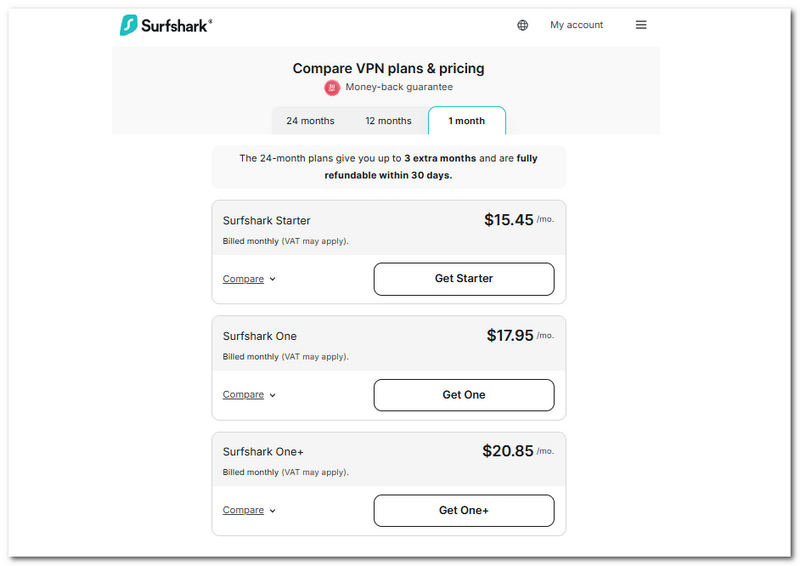
The Surfshark override GPS location tool comes with dependable, user-friendly features and an interface that doesn’t come with a free tool. Users will have to pay or subscribe to a plan to fully utilise and enjoy Surfshark’s capabilities.
| Plan | Pricing | Add-on Features |
| Surfshark Starter | $15.45/mo. | Secure GPS location Spoofing and Alternative ID |
| Surfshark One | $17.95/mo. | Secure GPS location Spoofing, Alternative ID, Antivirus, Data Alerts, and Ad-free search |
| Surfshark One+ | $20.85/mo. | Secure GPS location Spoofing, Alternative ID, Antivirus, Data Alerts, Ad-Free Search, and Incognito. |
Part 4. Limitations of Surfshark GPS Spoofing
Now that you know the features and benefits you may reap from using Surfshark GPS location spoofing, just like any other tool, it has its own strengths and limitations. In this section, we will delve into Surfshark's limitations to help you consider it if you ever decide to choose it, so you will know what downsides you may encounter along the way.
• Surfshark promises an unlimited device limit with its subscription plan. However, in practice, too many accounts simultaneously using and spoofing location are subjected to experience problems and may be temporarily suspended from connecting to a server.
• User reports state that connection speed to the server varies by location and distance.
• Despite being able to bypass popular streaming platforms and applications to access location-based content, these platforms continue to update their spoofing detection systems, which, in this case, may cause Surfshark to have occasional downtime, or users will have to switch servers from time to time.
Part 5. Great Alternative to Surfshark GPS Spoofing
If you are looking for a more hassle-free yet convenient and functional GPS location spoofing tool similar to Surfshark, then you may like AnyCoord. This alternative tool easily bypasses your device location, almost as if you instantly teleport to another location virtually, but undetectably.
Key Features
• Accessible GPS location spoofing tool for iOS and Android devices.
• It has a very straightforward, easy-to-use interface.
• Safe to use tool.
• Guaranteed to hide users’ real location data.
• It can simultaneously spoof locations worldwide.
• Supports a wide range of location-based apps, platforms, and games.
• Can simulate humane movement to walk around the location virtually.
• Users can easily adjust and control the speed when simulating a movement from one point to another.
Steps to Use AnyCoord
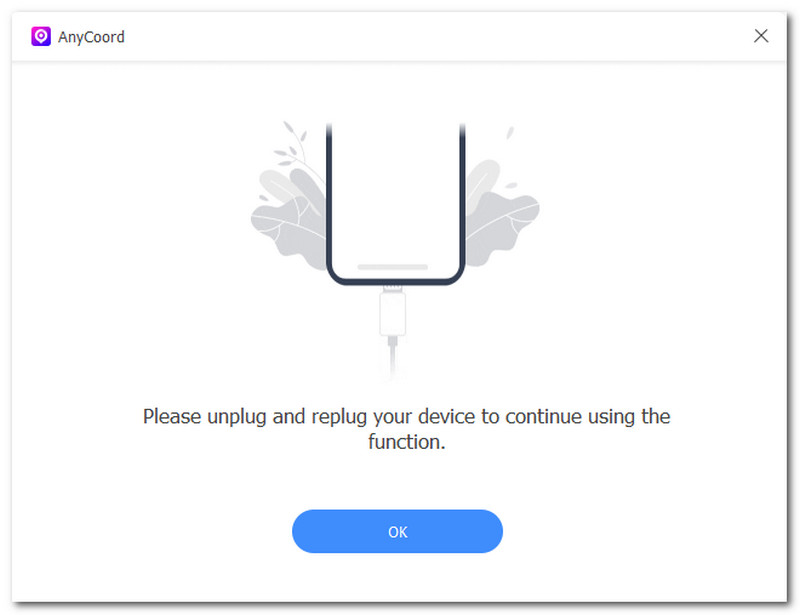
Step 1. Install the AnyCoord software tool on your Desktop device (Mac or Windows). Once done, connect your mobile device (Android or iOS) to your Desktop device, using a cable connection. After that, you can proceed to launch the AnyCoord tool on your Desktop device.
100% Secure & Clean
100% Secure & Clean
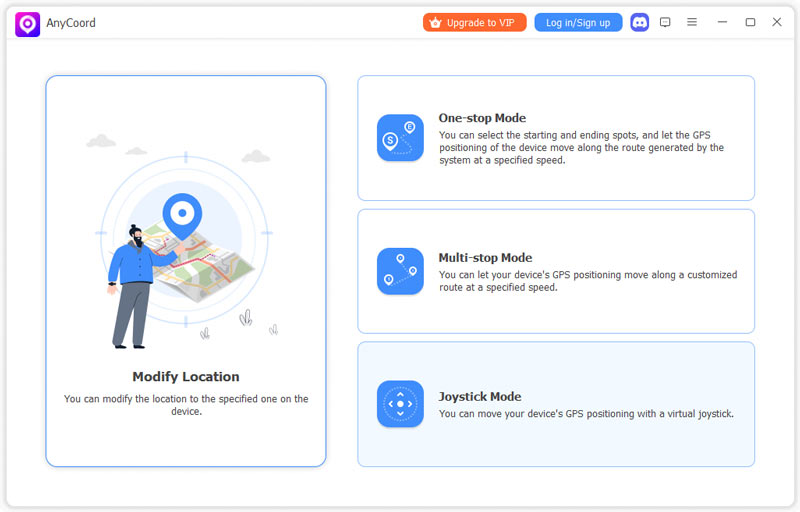
Step 2. Once the AnyCoord software is open, from its main interface, you will see all the various virtual location options available. From there, choose the Modify Location option.
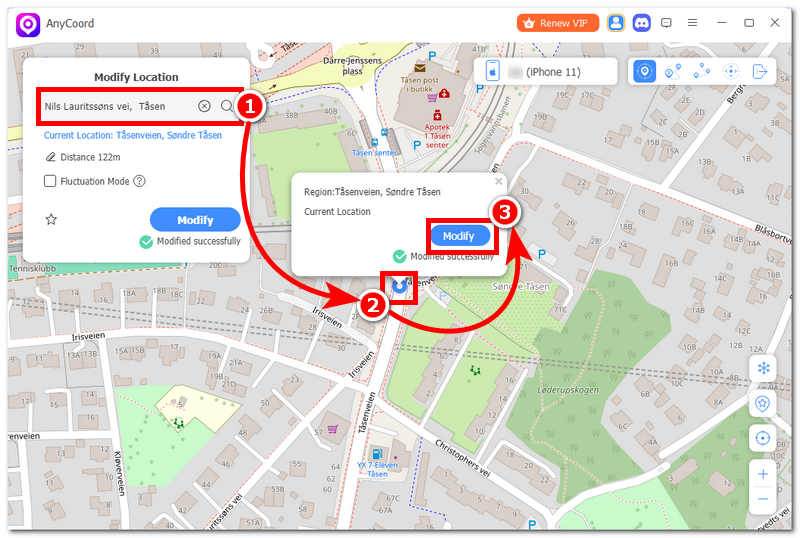
Step 3. Use the search bar field to find the location you want to spoof your device with. Once you have the location in the field provided, you may now click on the Modify button to initiate the spoofing of the location. Once done, go back to your mobile device, and you will be able to continue browsing the internet with your device using a virtual location for your security and accessing geo-restricted content.
Part 6. FAQs about Surfshark GPS Spoofing
Why would someone use GPS Spoofing?
There are a variety of reasons why someone might need to spoof their location on Android or iOS, but these tools are mainly used to conceal one’s internet activity, hide data, and access location-based content.
Does GPS Spoofing work on all apps?
Not all the time, as some apps and platforms have regularly updated their spoofing detection system, which can only mean that some GPS spoofing tools will also have to update in order to make their tool still work on these apps, especially those popular apps.
Conclusion
This article has reviewed the popular tool that overrides GPS location Surfshark, by listing its features, limitations, pricing, and suggestion an alternative. Users will now have a clear idea of how Surfshark works in spoofing location, what it can and cannot do, and more.
AnyCoord is the best tool to change, hide, or spoof your location in games, social media apps, and other apps on iPhone or Android devices.
100% Secure & Clean
100% Secure & Clean