



Location Guard Review: Features, How-To Use, Cons & More

Edited by Caroline Ryan | Dec 23, 2025 | Virtual Location
Are you tired of getting your location data used by these websites and platforms without your consent? If so, the only way to put a halt to these activities is to use a privacy-protecting tool that lets you spoof your location and keep your internet activity hidden, such as the web extension Location Guard. Using such a tool can help users continuously access and use services from various location-based platforms by spoofing their real location with a fake one. Hence, this article takes the opportunity to review the tool and showcase Location Guard’s capabilities through an overview of its key features, availability, limitations, alternative tools, and simplified steps for using the Location Guard app.
Contents:
Part 1. Overview of Features
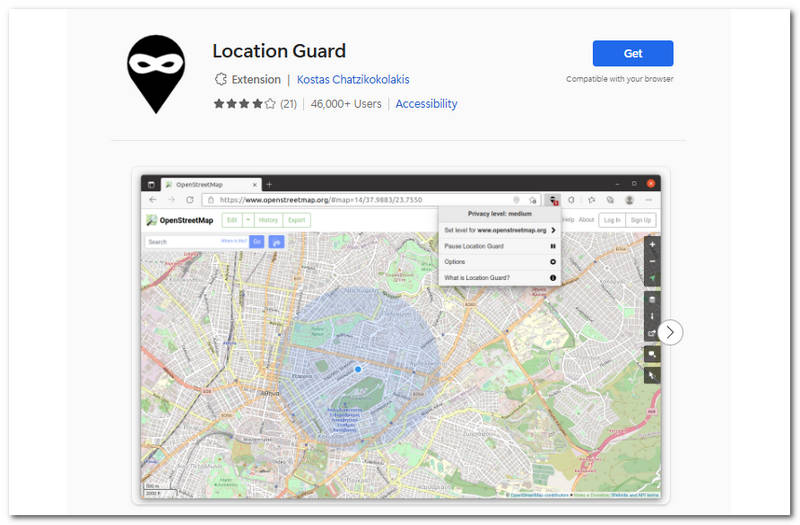
Location Guard is an online location and privacy tool that gives its users full control over their location data while browsing the internet. As browsing the internet usually requires users to have their location data be used for a better and seamless internet browsing some users just don’t want their location data be on the internet which is why tools like Location Guard came through to act as the in-between tool for continuos internet browsing while at the same time conceal the users location data by letting them use a virtual or fake ones. If you are curious about the capabilities of the tool below, we have listed an overview of Location Guard features.
Key Features
• Manually set a virtual location of any place across the globe to temporarily replace your real location data to continuously access location-based platforms and services on the internet safely.
• Users can add random shifts to their location, known as noise, with low, medium, and high privacy settings.
• Fully control which websites can access your real location and which cannot. Perfect for filtering out malicious websites.
• Lightweight and fully supported by all web browsers.
• Has a clean interface with flexible location controls.
Part 2. How to Use Locate Guard
Step 1. Using any of your preferred web browsers, simply head over to your Add-Ons or Extension store and search for the Location Guard extension tool.
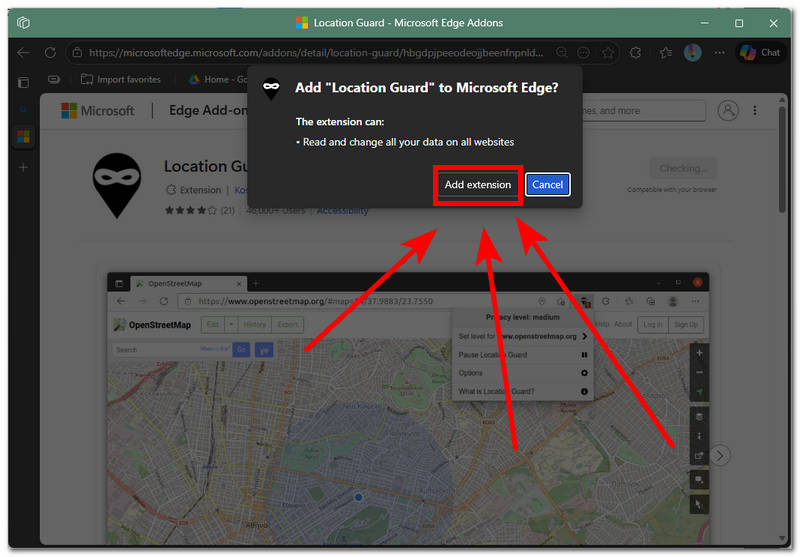
Step 2. From your browser extension store, download Location Guard and add it as a browser extension.
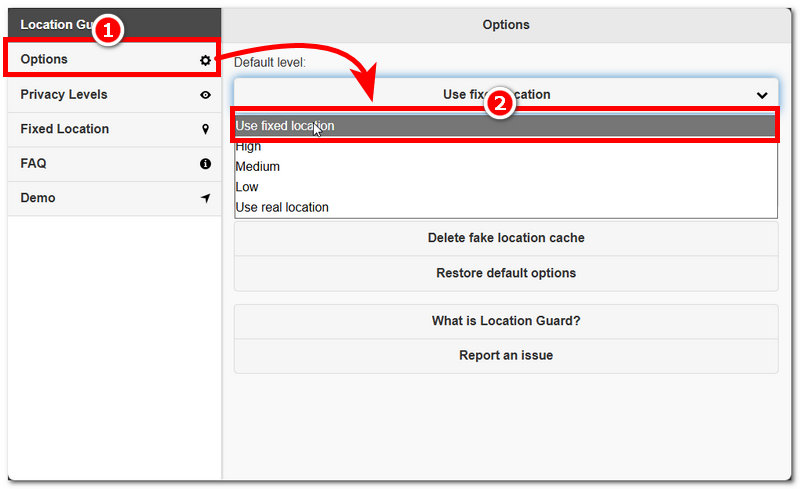
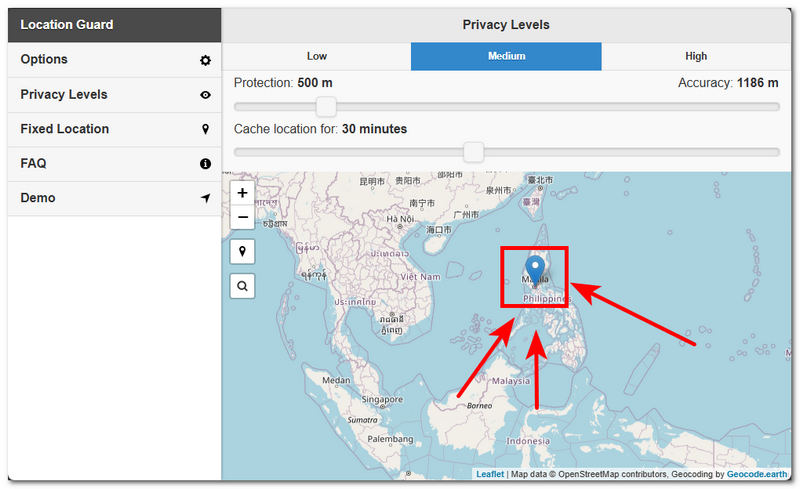
Step 3. Once the extension tool is downloaded in your browser, simply open it and, from its main interface, head to the extension’s Options menu. From there, click on the Use Fixed Location. This will make your web browser use a fixed location of your choice to conceal your real location data.
Step 4. Once you have decided to click on the Use Fixed Location option, you should go back to your main interface, and from there, you can browse the world map for your preferred location. Once you have your ideal location, you may use it as your fixed location by dropping a pin on it.
Part 3. Pricing Plans
When it comes to the availability of the Location Guard web extension tool, it is available on Google Chrome, Mozilla Firefox, Microsoft Edge, and Opera Web Browser as a free-to-use extension, with no hidden charges or pricing plans for users to avail of.
Part 4. Limitations of Locate Guard
Of course, what is a review without mentioning our list of limitations in using Location Guard, so users can fully grasp its capabilities and limitations, and not be shocked when they use the tool and are only disappointed by its limitations. Thus, in this section, we listed them in bullet form.
• It is exclusive to web browser location-based services and platforms.
• It supports only a very limited range of location-based platforms.
• Expect occasional failures in location spoofing when using the extension tool.
• Its location spoofing capabilities only set a fake location in the user’s browser and do not mask the user’s IP address.
• Does not work with mobile application platforms.
Part 5. Great Alternative to Locate Guard
When you are considering having a location spoofing tool that is a flexible yet functional tool, then in this section, we will introduce you to the Location Guard alternative location spoofing tool called AnyCoord. What makes AnyCoord a great alternative is that it addresses all the limitations we have found with the Location Guard extension. It is a lightweight software-based tool that supports not only web browser platforms but also location-spoofing mobile applications, while maintaining its user-friendly interface.
Key Features
• Fully support and guaranteed to work with a wide range of location-based games, platforms, services, applications.
• Completely and safely hides the user’s real location data, including their IP address.
• Undetectable location spoofing tool.
• It features seamless, instant location changes.
• It allows users to simulate human-like virtual movement to trick location-based platforms into believing the user is at that location.
• It can also perform one or multiple location spots when simulating movement from one place to another.
• It has a virtual joystick that lets users control their custom route.
• The travel speed during simulation can be customised to match human-like movements.
Steps to Use AnyCoord
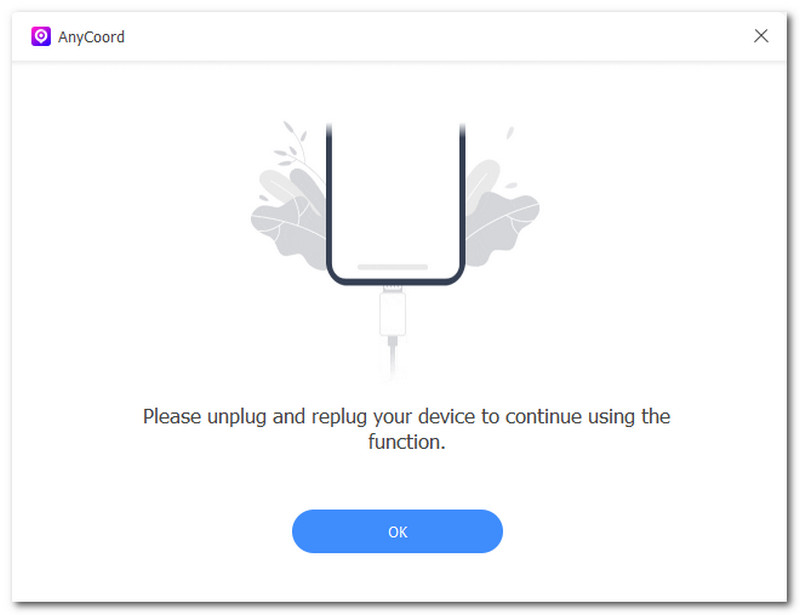
Step 1. Download and install the AnyCoord software tool on your Mac or Windows device. Once done, connect your mobile device to the wired connection you wish to spoof your location via a wired connection.
100% Secure & Clean
100% Secure & Clean
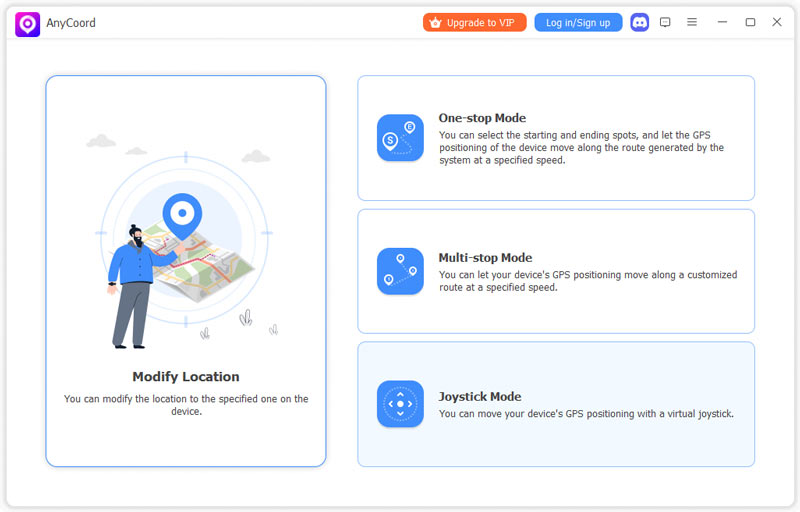
Step 2. Once your devices are connected, open the AnyCoord software on your desktop device, then select the Modify Location option from its main interface.
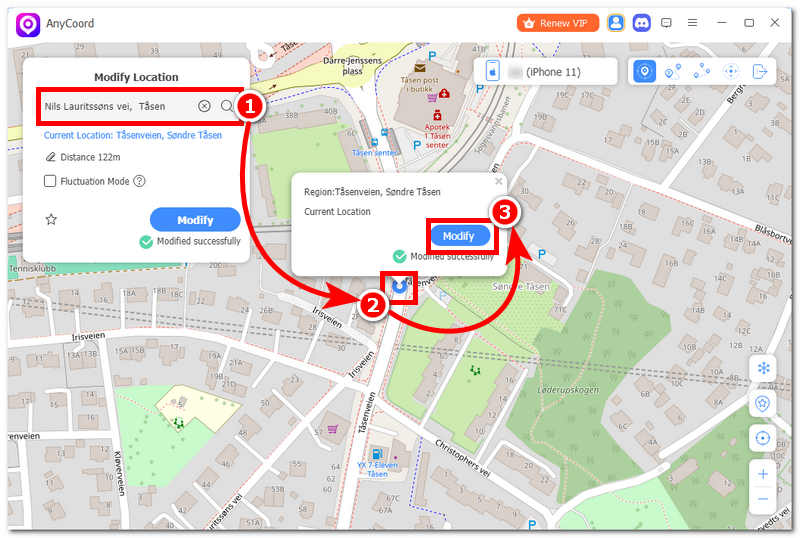
Step 3. Lastly, use the software’s search bar function to find a location you wish to use as your temporary device location to conceal your real location data. Once you have your fake location set up, click the Modify button to finally save the location changes in your mobile device.
Part 6. FAQs about Location Guard Reviews
What kind of protection does Location Guard provide?
Location Guard’s core function is to add noise to the web browser’s location, not its IP address. It just makes your web browser report a specific location of your choice, so that websites cannot exactly know your location.
Why would I need Location Guard?
Generally, the purpose of a Location Guard or location spoofing tool is to help users achieve complete anonymity in using the internet, keep users’ location data hidden from malicious websites, prevent real-time location tracking, and more.
Conclusion
In conclusion, Location Guard, despite its limitations, can still be a valuable and functional tool for users who find it convenient and do not mind the drawbacks it brings. This review of Location Guard has uncovered its killer features and core functions as a web extension tool, as well as its limitations. Considering it is a free-to-use tool, it makes up for the losses it bring;s however if you are more into a practical side of looking for a location spoofing tool then allowing yourself to get to know our recommended alternative Location Guard AnyCoord as it has the core functions and features of Location Guard but caters to a more wider range of location-based paltfroms to spoof location.


AnyCoord is the best tool to change, hide, or spoof your location in games, social media apps, and other apps on iPhone or Android devices.
100% Secure & Clean
100% Secure & Clean