



Yet Another Mock Location App (YAMLA): A Comprehensive Review

Edited by Caroline Ryan | Mar 06, 2026 | Virtual Location
In an era of 'Location Based Service'-enabled apps, having control over your GPS data has gone from an interesting developer's tool to an actual necessity for personal security and privacy. If you're a tester needing to test geofencing, a 'Pokemon Go'-type gamer needing to capture specific location exclusives, or simply an individual that wants to keep their whereabouts away from prying social media apps, having a 'Mock Location'-enabled app is a must-have.
Yet another popular lightweight solution that has been making waves in this field is called "Yet Another Mock Location App," abbreviated as YAMLA. However, is this application living up to expectations in 2026, or is it simply, quite literally, 'another' application that is no different from the others? In this article, we will be giving you an overview of what you need to know about this application, followed by an alternative that closes the gaps that YAMLA continues to harbor.
Contents:
Part 1. Overview of Yet Another Mock Location App (YAMLA)
What is YAMLA?
YAMLA, which stands for "Yet Another Mock Location App," is a utility-type application specifically targeted towards Android platforms, developed by Evermore Labs. Originally intended as a tool for application developers, this application allows a user to simulate GPS locations without any overheads, unlike heavy application suites on computers based on the APK system, which is resident on your phone itself.
Main Features of YAMLA
Despite the simplicity of YAMLA’s branding, there are a number of robust functions that a power user could appreciate:
- • Live Joystick Control: This function is an on-screen display overlay that lets you "walk" around a given map. This function is important if your app depends on tracking movement as opposed to positioning.
- • Deep Link & Intent Support: For the developer, YAMLA is a dream come true, as it can be activated via Android Intents or deep links, making it possible to integrate it with automation tools such as Tasker or ADB.
- • App-Specific Mocking: While most “global” spoofers don’t allow app-specific spoofing, which can sometimes be done with YAMLA, it still requires permission at a high level.
- • Route Playback: It can be set with a beginning and an end point, and the app will recreate the path of movement.
Part 2. Limitations: Why YAMLA Might Not Be Enough
If you are looking for a "set and forget" solution, YAMLA may throw up some challenges.
1. Complexity of Setup: To use YAMLA, it is mandatory for users to enable Developer Options and configure YAMLA as the "Mock Location App." The process could be daunting for non-technical users.
2. Stability Issues: There are common complaints about the location "rubber-banding," i.e., the GPS signal alternates between the fake and real locations. This causes an instant ban in games such as Pokémon GO.
3. No iOS Support: Unfortunately for iPhone enthusiasts, if you are an iOS user, forget about using YAMLA. Click and read this article to change location on your iPhone.
4. Privacy Risks: It needs many permissions to draw over other apps as well as access the location settings of the device, which might act as a deterrent for privacy enthusiasts.
Part 3. Pricing Plans: Is It Truly Free?
YAMLA has a freemium model strategy
- • Free Version: It is free and can be downloaded from the Google Play Store. It contains basic teleportation and joystick functionality and tends to include some ads.
- • Pro Version: Some features, such as ad remover and specific automation walking in Pokémon GO, are subject to in-app purchase. The price for these tools ranges from $0.99 to $9.99, which is considered a budget-friendly option for a short-range app for limited tasks.
Part 4. Best Alternative - AnyCoord
Why AnyCoord Stands Out
If YAMLA feels too "manual" or unstable for your needs, AnyCoord is the professional-grade answer. AnyCoord is a desktop-based software that connects to your phone via USB or Wi-Fi. By handling the location processing on your PC or Mac, it bypasses many of the detection mechanisms that trip up on-device apps like YAMLA.
Key Features of AnyCoord
- • Universal Compatibility: Works seamlessly with both iOS (including the latest versions) and Android.
- • Three Movement Modes: One-stop Mode – Teleport instantly; Multi-stop Mode – Plan a complex route with multiple waypoints; Joystick Mode – Use your keyboard (W-A-S-D) to control your movement like a video game.
- • Customizable Speed: Adjust your "walking" speed from 1m/s to 50m/s to simulate walking, cycling, or driving.
- • GPX Import: Have a specific route you want to follow? Simply import a GPX file and let AnyCoord do the rest.
Step-by-Step Guide to Using AnyCoord
Using AnyCoord is significantly easier than YAMLA:
Step 1. Visit the AnyCoord website or use the direct link below to easily download and install it on your Mac or Windows computer.
100% Secure & Clean
100% Secure & Clean
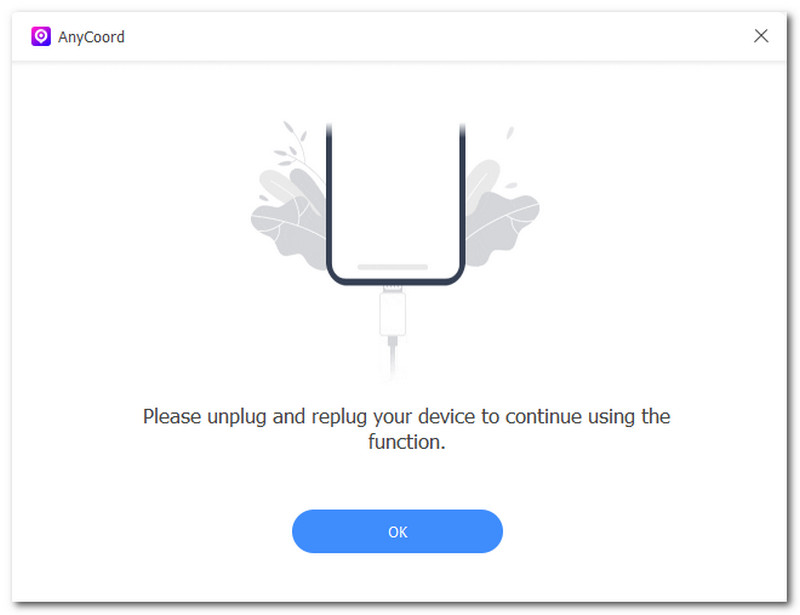
Step 2. Once done, open the AnyCoord and use an USB cable to connect your mobile device (iOS or Android) to the location-based apps you want to spoof your location.
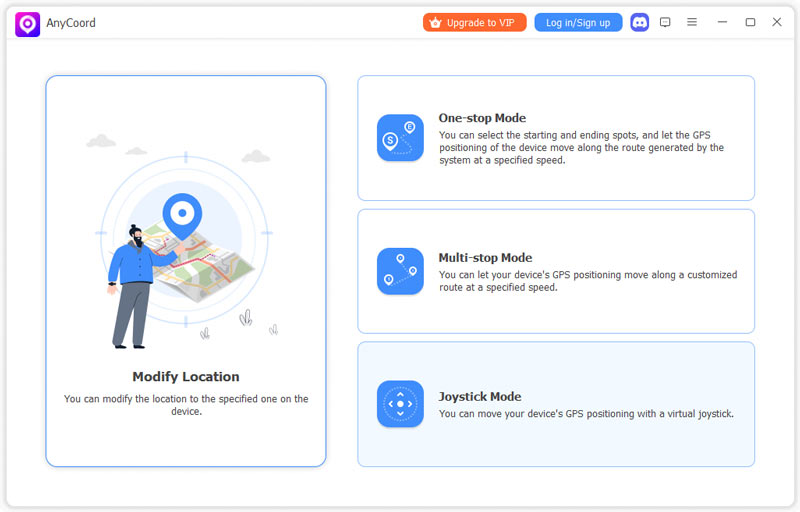
Step 3. To spoof your mobile device’s location, simply select the Modify Location option, which allows you to choose any location worldwide for temporary use as your device’s location.
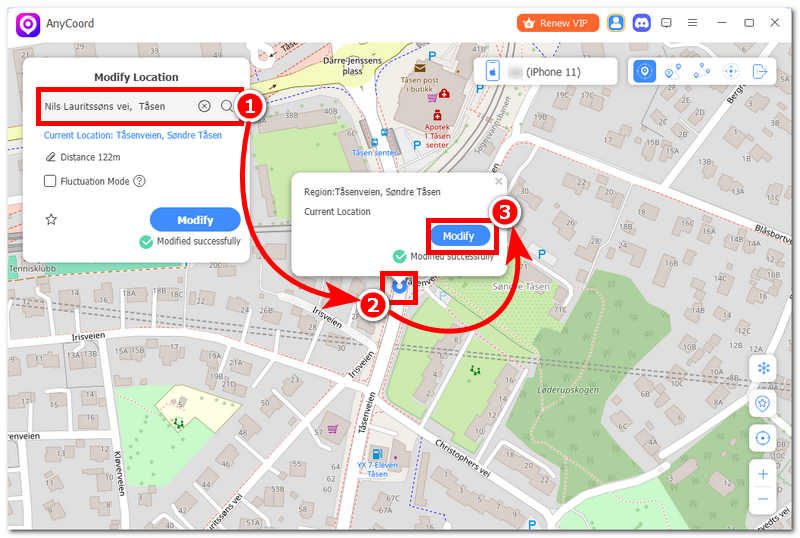
Step 4. Then, locate and click on the teach bar functionality of the software, located in the upper-left corner of your screen. Input the name or coordinates of the location you want to use as your mobile device location. Finally, click the Modify button to start spoofing location.
Ready to take control of your GPS? Download AnyCoord today and enjoy a safer, more stable spoofing experience on both iOS and Android.
Part 5. Comparison Table: YAMLA vs. AnyCoord
| Feature | YAMLA (Yet Another Mock Location App) | AnyCoord |
| Platform | Android Only | iOS & Android |
| Detection Risk | Medium/High (On-device app) | Low (Desktop-based) |
| Ease of Use | Kind of complex | Easy |
| Joystick Support | Yes (On-screen overlay) | Yes (Keyboard control) |
| Route Customization | Basic | Advanced (Multi-stop + GPX) |
| Stability | Occasional rubber-banding | High Stability |
| Support | Community-based | Professional 24/7 Support |
Final Verdict
Yet Another Mock Location App (YAMLA) is a respectable tool for Android developers and casual users who need a quick way to test location-based features for free. Its intent-based automation makes it stand out in technical power users.
But for the casual, everyday user who just wants to play Monster Hunter Now-or preserve some semblance of privacy on an iPhone-YAMLA is either incompatible or too much of a risk. For stability, undetectability, and a properly cross-platform experience, AnyCoord is where it's at. It's got the polish and security that a dedicated utility app simply can't match.


AnyCoord is the best tool to change, hide, or spoof your location in games, social media apps, and other apps on iPhone or Android devices.
100% Secure & Clean
100% Secure & Clean