



How to Share Location on Telegram: Managing Privacy Settings

Edited by Caroline Ryan | Dec 18, 2025 | Virtual Location
More than just a messaging app, Telegram has been used for professional and casual conversations thanks to its straightforward user interface. It surely is the messaging platform for all. Just like other messaging platforms, Telegram can send text messages, make voice calls, and share media files, and it offers very tight privacy and security settings that make this app a reliable messaging medium. Now that there has been a rise in data leaks from various location-based applications and platforms, which compromise users’ overall internet experience, users have tried their best to keep their personal data hidden and as safe as possible.
In this article, we will delve into Telegram’s location settings as a location-based messaging platform to help you keep your data safe when using Telegram. Moreover, this article will guide you on how to share and stop sharing your location correctly, as well as how to fake your Telegram location.
Contents:
Part 1. What Are Telegram Location Settings
Telegram’s location settings focus on live location sharing, one-time pinned location sharing, and finding nearby users.
• Live Location Sharing. This feature allows Telegram users to share their real-time location in a chat or group chat. A useful way to keep peers updated on the user’s current location without needing to send regular updates.
• One-Time Pinned Location. This feature allows users to send a static location to other users without revealing the user’s real-time location. This is an alternative way to share location when a user doesn’t want to reveal their current location but still wants others to know they are in.
• People Nearby. Once enabled from the user settings, Telegram will show nearby users or groups, which can be used for local networking. On the other hand, the other users will be able to see the user’s account.
Part 2. How to Share Location Permission on Telegram
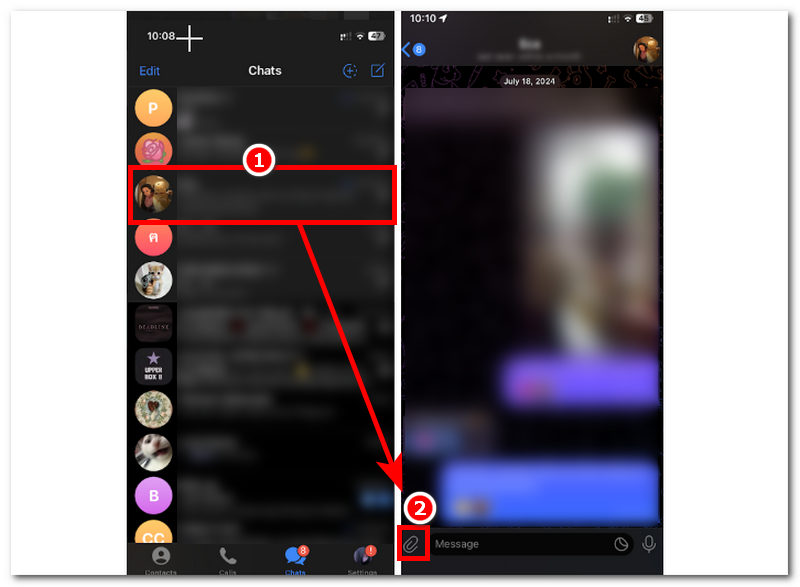
Step 1. Open your mobile device’s Telegram application.
Step 2. On Telegram’s main interface, simply go to the other user’s chatbox you wish to share your Telegram location with. From there, tap the Paperclip icon on your screen’s lower-left part to access the share location features of Telegram.
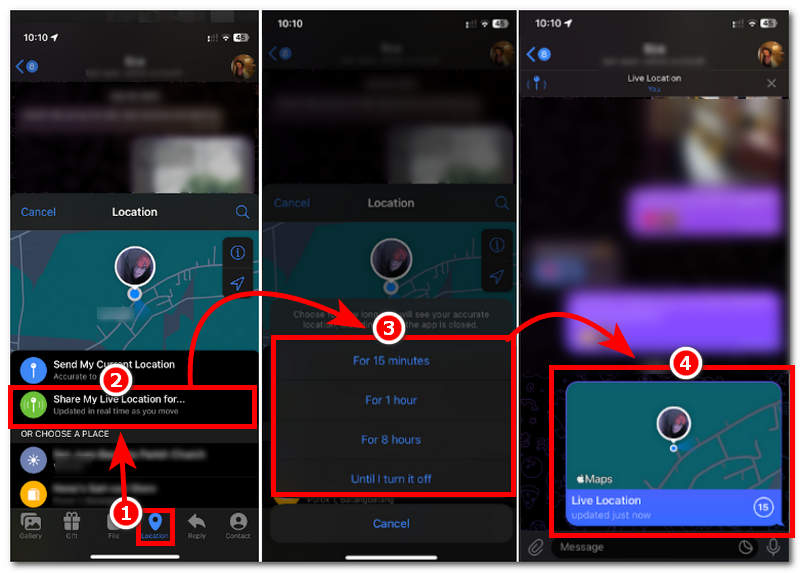
Step 3. Once you open the Location settings, tap Share My Live Location. After that, it will ask you for the duration you want your location shared with the other person. Just choose your preferred duration to proceed.
Step 4. Lastly, after selecting the duration of your shared location, your real-time location will be automatically sent to the other person. Thus, that’s how you can share a location on Telegram.
Part 3. How to Stop Sharing A Location in Telegram
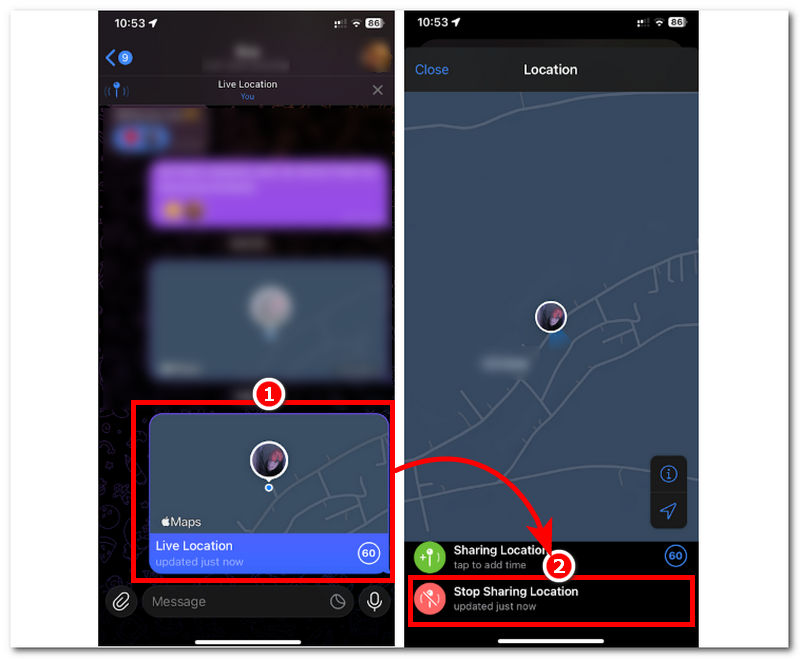
Step 1. If you wish to stop sharing your location with other users, you may do so by first opening your chatbox.
Step 2. Once you are in your chatbox, simply tap on the Live Location you just sent to the other person.
Step 3. From there, you can tap Stop Sharing Location to instantly stop sharing your real-time location.
Note: When you share your real-time location for a specific time with another person, you can just wait for the time to pass, and it will automatically stop sharing your location.
Part 4. How to Manage Location Privacy and Security in Telegram
When managing your Telegram location privacy and security settings, it is essential to be wary of the permissions you granted to Telegram. This can be seen in your device settings.
Step 1. Go to your mobile device Setting application, and from there locate your Apps settings.
Step 2. Once you locate your device’s Apps section, tap it and search for the Telegram app.
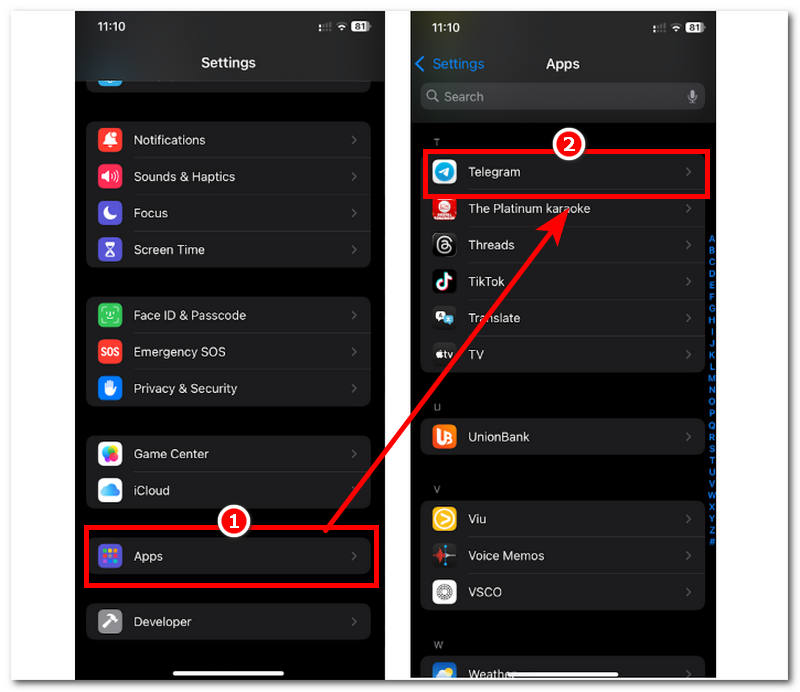
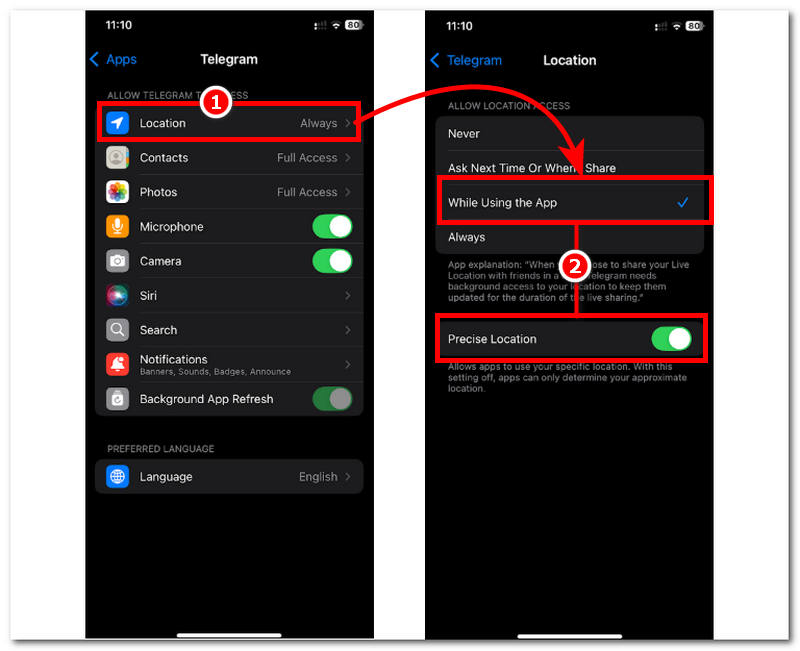
Step 3. In your Telegram app settings, go to Location access settings.
Step 4. Within your Telegram’s location access setting, proceed to tap on allowing your Telegram to only access your location While Using the App. This will prevent Telegram from accessing your location when you’re not using the app. Next is you can toggle off your Precise Location setting. With precise location disabled, Telegram will not be able to accurately pinpoint your real-time location; instead, it will only recognize and use the area near your location.
Part 5. Bonus: How to Fake Your Telegram Location
If you are still not satisfied with gatekeeping and want to make your Telegram location setting safe and secure, despite using the default method, you may opt to fake your Telegram location using a third-party tool.
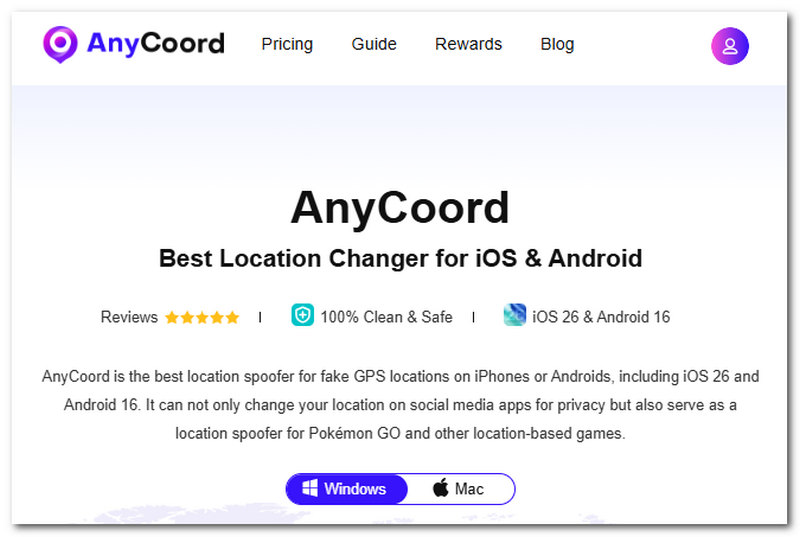
AnyCoord is a location-spoofing tool that allows users to easily switch to or set up a temporary location on their device, undetectable in a single click. This is due to the AnyCoord built-in tool for virtually modifying the location. Moreover, it offers a simulation of fake movement to trick location-based platforms into thinking the user is on the move. The travel speed can be adjusted by the user to make it more convincing, and among all of these, it is guaranteed to work with various location-based apps, platforms, and games, which, for Telegram users, ensure their location settings remain completely hidden.
Features
• Guaranteed to work with location-based apps, games, and platforms like Telegram.
• It uses GPS to provide accurate, up-to-date location mapping.
• Lightweight and free-to-use location spoofer tool.
• Help users simulate movement in an area to make it more convincing that they are indeed in the virtual location.
• Easy-to-use Telegram location spoofing tool.
• Easily changes and hides the user’s location.
• Users can adjust the movement’s speed.
Steps to use AnyCoord
Step 1. Download AnyCoord to your desktop device (Mac or Windows). Once the installation is complete, connect your mobile device to your desktop via a wired connection.
100% Secure & Clean
100% Secure & Clean
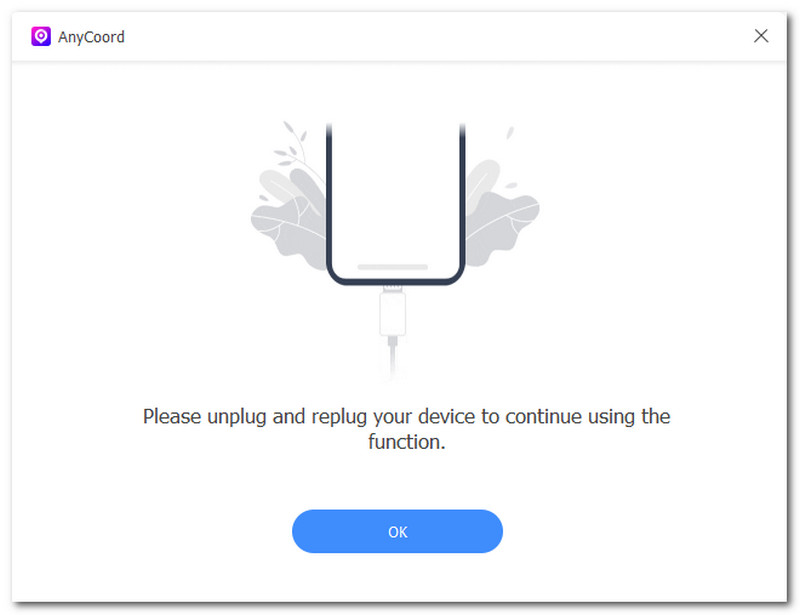
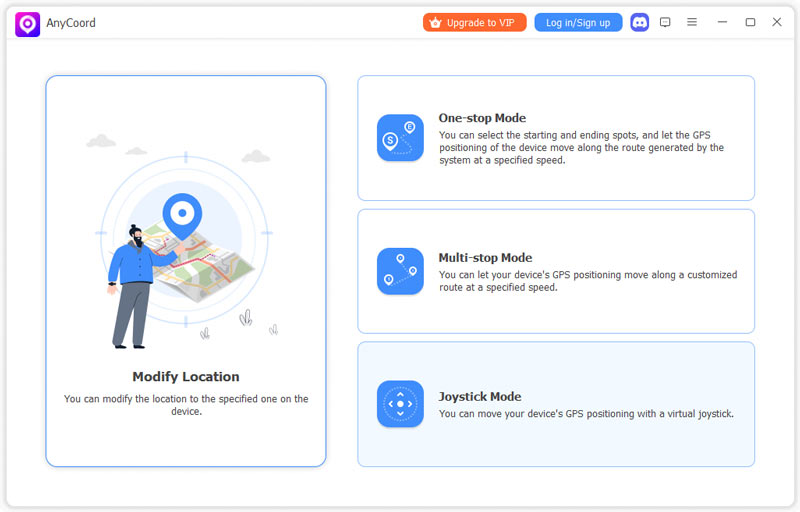
Step 2. Next, launch the AnyCoord software. Simply select the Modify Location option from its main interface; this tool lets you set up and share a fake location on Telegram.
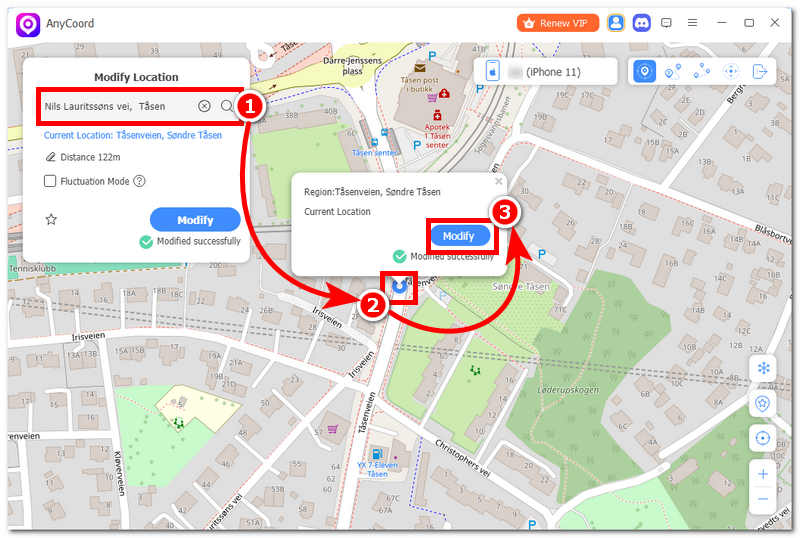
Step 3. Finally, use the software’s search bar to find the ideal fake location you want to use for your location sharing on Telegram. Once you have your area set up, click the Modify button to update your mobile device’s location. Thus, this will automatically change your Telegram location as well.
Part 6. FAQs about Telegram Location Settings
What’s the difference between Live Location and Static Location?
Live location updates show the user’s real-time location, whereas static location uses the pinned location on the map and is not used or updated when the sender of the area is moving.
Can I choose who can see my location?
Yes, on Telegram, you can only send or share your location by choosing which users’ or group chats you will send it to—otherwise, unselected users’ or group chats won’t be able to see your location.
Conclusion
This article has explored Telegram’s location and privacy settings, which are primarily composed of location-sharing features. Although Telegram is already a secured and safe messaging platform, there are still users who are looking for ways how to set a location on Telegram , which, in our case we used it as an opportunity to demonstrate how users can be bale to do so in two ways one that used a default method and the other that involves using a third-party location spoofing tool AnyCoord.
AnyCoord is the best tool to change, hide, or spoof your location in games, social media apps, and other apps on iPhone or Android devices.
100% Secure & Clean
100% Secure & Clean