



AnyCoord Location Changer
iOS 27 & Android 17 Supported
- No jailbreak to set a virtual GPS location/routes.
- Smooth control with 360° joystick or keyboards.
- Pro Game Mode supporting Bluetooth connectivity.
- Apply for AR games/social media/dating/map apps.
100% Secure & Clean
100% Secure & Clean

30M+Global Users
120+Countries served
100%Clean & Safe

 4.8
4.8 Full iToolab AnyGo Review: Features, Limitations & Pricing

Edited by Caroline Ryan | Sep 20, 2026 | Virtual Location
Several location spoofing apps have gained popularity, especially among individuals who wish to test location-based applications without physically moving around. iToolab AnyGo is one of them and can help you change your GPS location to access restricted content or play games like Pokémon Go.
However, is iToolab AnyGo really worth trying out and purchasing? In this review, we will be looking into iToolab AnyGo in detail, including its features, limits, pricing plans, and more. Plus, we also offer a great alternative for you to easily spoof your location.
Contents:
How We Test and Review
iToolab AnyGo is tested based on the following factors: location accuracy, connection reliability, functionality, compatibility, usability, and performance. This application is tested using devices like iPhone 15 Pro, iPhone 13, Samsung Galaxy S24, and Google Pixel 8. The app features such as one-click location change, path simulation, joystick navigation, and speed management are evaluated. In addition, the reliability of maintaining a virtual location for long periods of time is considered, along with its cost and limitations.
Part 1. Overview of iToolab AnyGo (Main Features)
What is iToolab AnyGo?
AnyGo by iToolab is a GPS location changer tool that operates on the desktop. This tool works on both iOS and Android devices. The advantage of the AnyGo tool is that users can change their location settings without doing any jailbreaking or rooting. Such a feature makes the AnyGo tool very popular among gamers who play location-based games such as Pokémon Go or MHN.
Main Features
1. GPS Instant Teleportation
Changing location to any point anywhere on Earth with just a few clicks, this feature is one of the easiest ways to carry out spoofing.
2. Routing and Movements
AnyGo allows you to simulate movement from one point to another, with the option to set speeds.
3. Joystick Functionality
The program comes with an integrated joystick that allows the user to control movement in real time.
4. Import Routes using GPX File
It allows importing a GPX file to generate routes that can be used while playing games for automation.
5. Doesn’t Need Jailbreak
Another important feature is that no jailbreak is required for running it on your device, as it does not affect the system.
6. Works with Multiple Devices
It can work with multiple devices connected to a single PC.
Part 2. Limitation Review of iToolab AnyGo
Though iToolab AnyGo is loaded with many features, it is not entirely flawless.
• Detection Chance in Games
Like other spoofing applications, AnyGo faces detection risks when playing games like Pokémon GO. Players may encounter errors (such as location error 12) or be temporarily blocked for misusing this app.
• Need to Be Connected to a PC
In contrast to completely mobile applications, AnyGo needs to be connected to the PC through USB or Bluetooth.
• Inconsistent Working
There have been some reported cases of AnyGo showing inconsistent performance, particularly after updates and when used with the latest versions of iOS.
• Not Available at the App Store
The iOS application cannot be found in the App Store.
• Time Needed to Learn Cooldown Principles
Though AnyGo is relatively easy to use, it takes time to learn to use it properly.
Part 3. Price Review: Does iToolab AnyGo Deserve Buying?
iToolab AnyGo offers flexible pricing across platforms.
| Windows | Mac | iOS | Android (Basic) | Android (Premium) | |
| Month | $9.95 | $12.95 | $19.95 | $14.99 | $19.99 |
| Quarter | $19.95 | $19.95 | $39.95 | / | / |
| Year | $49.95 | $69.95 | $79.95 | $49.99 | $59.99 |
| Lifetime | $79.95 | $89.95 | $119.95 | $59.99 | $69.99 |
Note: Subject to the official website's real-time price.
Part 4. Best iToolab AnyGo Alternative – AnyCoord
AnyCoord is a highly flexible location changer for iPhones and Android devices that lets users change their current location without jailbreaking or rooting. Compatible with Windows and Mac computers, it supports instant teleportation, route customization, and joystick control. AnyCoord is suitable for playing games like Pokémon GO, as well as for using social media and dating apps.
More conveniently, AnyCoord offers multi-point routing and speed changes to better simulate the real movement. Unlike iToolab AnyGo, AnyCoord prioritizes compatibility with up-to-date software versions and reliability. It supports iOS 27 and Android 17.
100% Secure & Clean
100% Secure & Clean
Features of iToolab AnyGo Alternative
- • Set fake locations in various location-based games, social media & dating apps.
- • Features seamless, instant location changes and fake routes.
- • Support human-like virtual movement speed.
- • Pro Game Mode supports Bluetooth connectivity.
- • A virtual joystick lets you control the custom route freely.
Steps to use AnyCoord
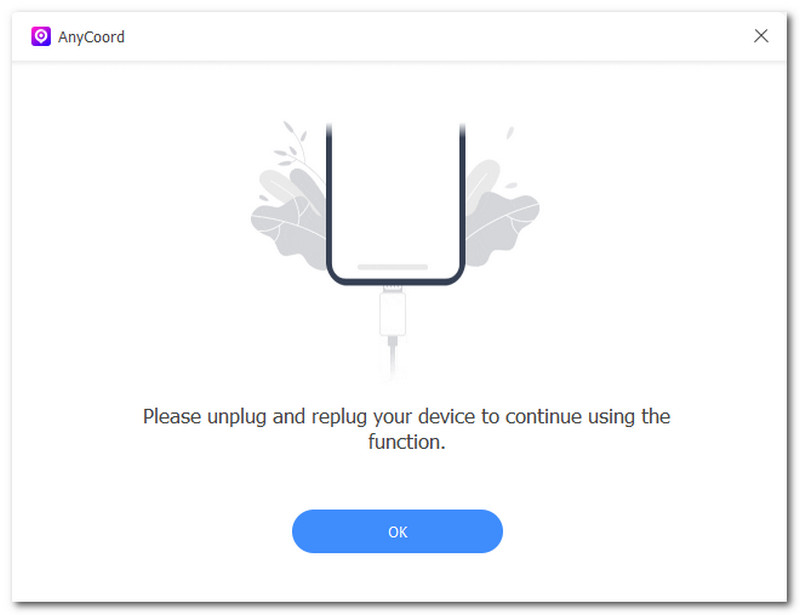
Step 1. Download and install the AnyCoord software tool on your Windows or Mac device. Open it and connect your computer to the mobile device you wish to use to spoof your location.
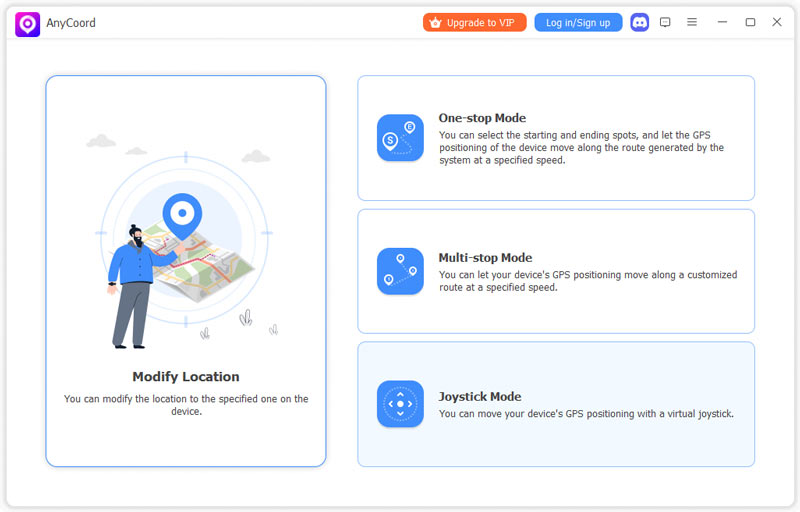
Step 2. After your devices are connected, you can select the Modify Location/One-stop Mode/Multi-stop Mode/Joystick Mode option from its main interface.
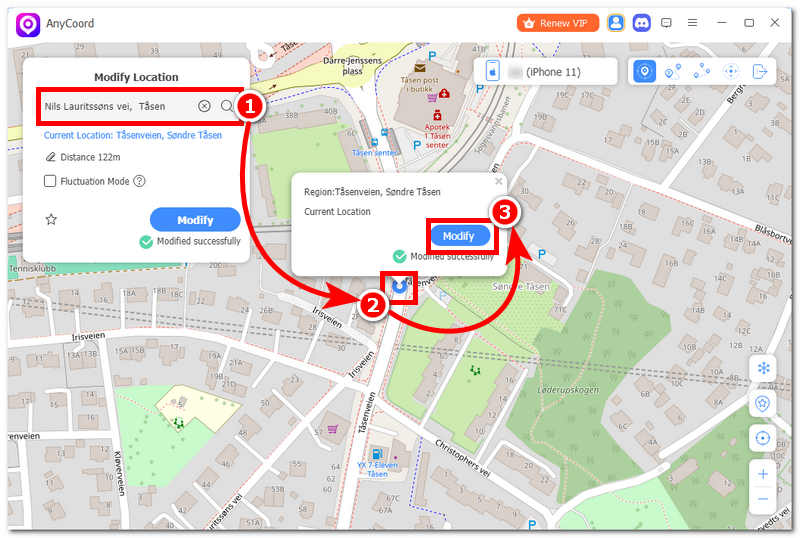
Step 3. Then, you will enter a map interface. Find the location you wish to use as your virtual device location, then click the Modify button to start the location changes.
AnyCoord is very easy to use, isn’t it? It offers stable spoofing performance and frequent updates for the latest mobile devices, now supporting iOS 27 and Android 17. Try it now!
| iToolab AnyGo | AnyCoord | |
| Features | Teleportation/route simulation/joystick mode | Teleportation/route simulation/joystick mode |
| Connection Methods | USB/Bluetooth | USB/Wi-Fi/Bluetooth |
| Supported Devices | Up to 15 devices | Up to 6 devices |
| Serve for | Location/AR Game/dating/social Apps | Location/AR Game/dating/social Apps |
| Best for | Users who need broader device support | Users looking for a more affordable alternative (especially on Mac) |
Part 5. FAQs on iToolab AnyGo
Is iToolab AnyGo safe to download and use?
It depends on where you download the program. You’d better download it from the official website, which is the genuine version. Generally, AnyGo is safe to use, but there might be issues with the usage policies of certain applications that modify GPS data.
Does iToolab AnyGo support the newest versions of iOS?
The application is compatible with many recent iOS versions; however, it does not keep up with the latest updates. There might be some problems after the update. In this case, you can try AnyCoord that supports the latest iOS 27 and Android 17.
Will iToolab AnyGo ban me from Pokémon GO?
There is a chance you will get banned. You should follow all cooldown policies and try to move realistically to minimize the chances.
Conclusion
iToolab AnyGo is an efficient GPS Spoofing application with numerous features, including teleportation, route simulation, and joystick control. It is user-friendly and does not require jailbreaking, thus being a good choice for beginners.
Nonetheless, it has some disadvantages, such as limited detection possibilities, occasional instability, and the necessity to connect it to a PC. Those interested in flexible use and a great set of capabilities will definitely find this application useful. However, if you are seeking stability and convenience, you can try AnyCoord, an easier location spoofer.
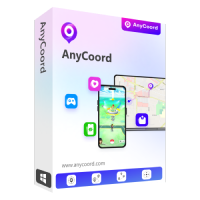
AnyCoord is the best tool to change, hide, or spoof your location in games, social media apps, and other apps on iPhone or Android devices.
100% Secure & Clean
100% Secure & Clean