



How to Change Location on TikTok & Tips Before Spoofing

Edited by Caroline Ryan | Dec 18, 2025 | Virtual Location
A widely known short-form video platform, TikTok has definitely reached global status, connecting users worldwide through the sharing of a variety of videos. Whether it be content of comedic, political, or informative sort, every video has its right audience on the platform. While sharing content on the platform can be done by anyone to achieve virality, it is never easy, as many factors need to be considered to make a video reach a wider audience and become viral. In the TikTok app’s algorithm, which tailors videos to a user’s current location, changing location to another may help the video reach a broader audience.
That’s why this article will focus on to find out whether changing of TikTok location can possibly have an effect to a TikTok video views and if so this article will then also feature list of location where users may use to attarct more stream with their videos, as well as things you user need to consider before spoofing TikTok location and finally a simplified steps to change TikTok location using a lightweight and easy to use location spoofing tool.
Contents:
Part 1. Will Changing Location Affect My TikTok Views?
Location has a direct effect on the TikTok videos as TikTok’s algorithm uses user location information to organize content in the world to be first seen by those who are nearby to the video location. Generally, when posting a video on TikTok, the recommended location is where the user is currently based or where the video was filmed. This information usually pops up when users are choosing the location tagged in their video. While users can freely upload their TikTok videos on the platform, they can still decide to tag a location of their choice in the app. This is to ensure that users can tag a location, especially those with a specific location.
Part 2. Location That Attracts More Streams
When choosing a location or area to tag your video with, it is essential to have a clear idea of where to place it, as this can make or break your video going viral. Hence, before proceeding to our list, we reminded our readers that while changing your location when posting your TikTok videos may affect your views, the success of attracting and maintaining continuous attention to your video will still depend on the context of your video.
| Location | Reason/s |
| United States | • Has a wide user base. • Has many trendy and popular hotspots. • Has many content creators and influencers. |
| Philippines | • Has a broad user base and engagement. • Has many popular, trendy nature destinations. • Has many content creators and influencers. |
| South Korea | • Has a global influence and reach. • Has many trendy and popular hotspots. |
| Japan | • Rich culture and local hidden hotspots. |
| Canada | • High user and engagement-based. |
Part 3. How to Change TikTok Location?
If you want a more controlled and specific location to set and tag your TikTok video to ensure that your video will get seen by nearby users, hoping for getting more views, then apart from the default method in this section, we will show you how to change your location on TikTok using a location spoofing tool, AnyCoord. This tool, right off the bat, is a location spoofer that works on all location-based games, applications, and platforms. It helps users by virtually changing their device location to another location to access geo-restricted content, secure their internet anonymity, or, in this case, change their device location to a popular, high-user location to post their TikTok videos for views. Moreover, this tool is a software-based tool that can work instantly
Key Features
• Undetectable location spoofing tool for Android or iOS.
• Lightweight and easy to use tool.
• Guaranteed to conceal user location.
• Can instantly virtually change the user device location to any location across the world.
• It can be used for AR-based games.
• Can simulate human-like movement on the map.
• The travel speed is customizable.
• Can do one to multiple location stops when moving.
• Features a virtual joystick for a more customized, controlled, and natural navigation.
• It has accurate mapping.
Steps to Use AnyCoord
Step 1. Download the AnyCoord software tool to your Mac or Windows device. After downloading the software, install it, and once it is installed, connect your mobile device (iOS or Android) to your desktop via a cable.
100% Secure & Clean
100% Secure & Clean
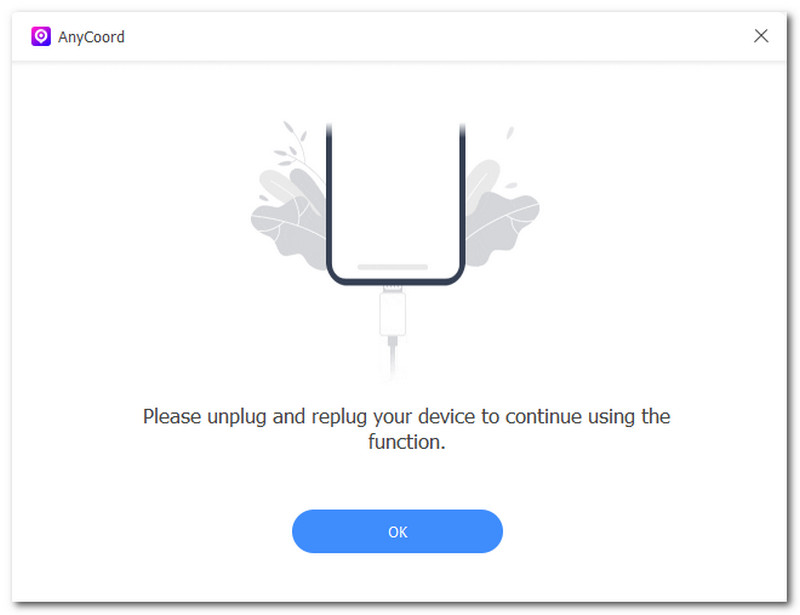
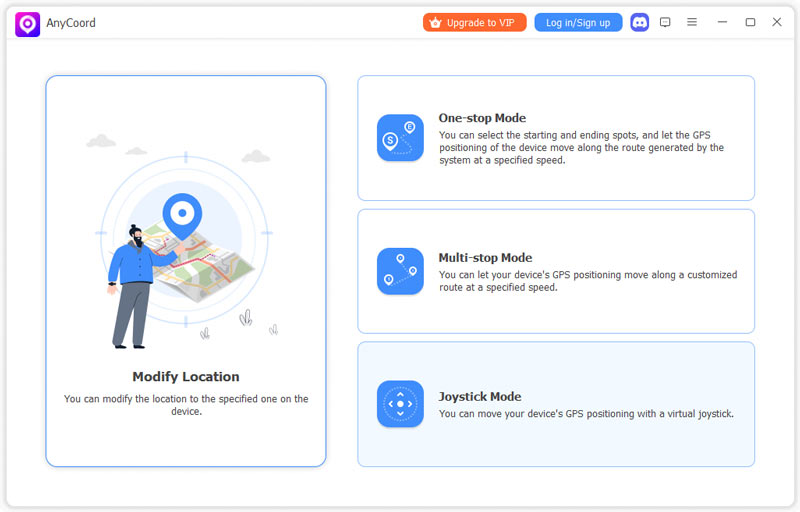
Step 2. Once your mobile device with the TikTok app is connected to your desktop device, you may open your AnyCoord software. Once the software is open on your desktop, select the Modify Location option from its main interface.
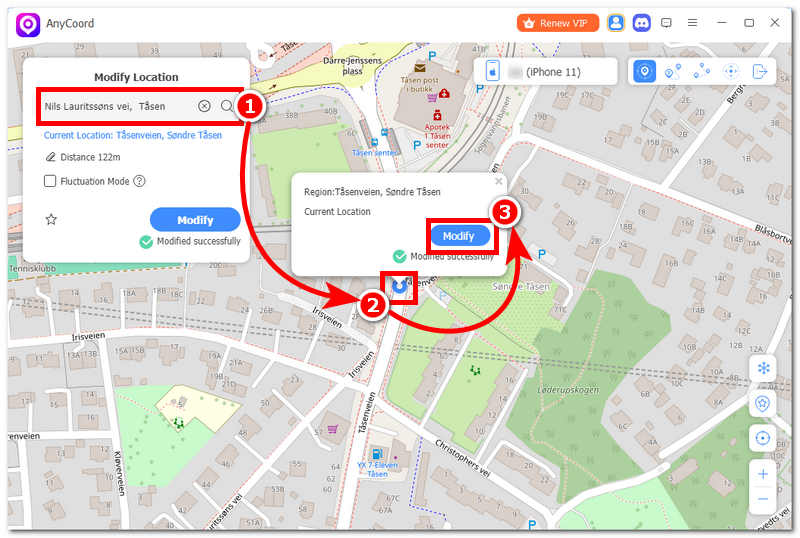
Step 3. Once you choose the Modify Location option, you will be redirected to the virtual map window, which shows the map you are currently on. Set your new TikTok location by using the search bar function in the upper-left corner of the software. From there, simply select or search for the area you wish to use, and tag your TikTok video location to get more views.
Step 4. Once you set your new location, click the Modify button to save the location spoofing on your mobile device. Once the process is complete, you may begin using the TikTok app on your mobile device and upload your videos.
Part 4. What You Should Take Note of When Spoofing Location on TikTok
Now that you know how to effectively spoof TikTok location using a third-party tool, users should also note a few things to avoid future issues with device location or TikTok accounts. Thus, to help out users, we listed a few things they should keep in mind before spoofing TikTok location.
1.Be sure to turn off your device’s location services from your settings to avoid and reduce GPS tracking of your real-time location.
2.When spoofing to another location, make sure you choose one that is not far from your current location, as this can raise concerns about how you managed to get there, at least virtually.
3.Avoid changing your TikTok location frequently, as this can cause problems with your account and location services if you spoof your location frequently.
4.Use location spoofing responsibly. Only use it for personal needs and do not cause harm or confusion to other TikTok users.
5.Be careful in choosing and using third-party spoofing tools, as not every tool can ensure your data safety. It’s best to use reliable, trusted tools like the AnyCoord software tool.
Part 5. FAQs about How to Change TikTok Location
Can I manually change my TikTok location?
Yes, you may do so when you upload TikTok videos, as you can tag any location you prefer. But when it comes to TikTok location overall, it is not possible, nor does it have a default method for switching location from the TikTok settings, aside from using a location spoofing tool.
Can I change the location for posting (so viewers from other countries see my videos)?
Yes, you can tag your preferred location before uploading your video on the platform, and you can also use hashtags in your caption to tag a location.
Why is my TikTok still showing my local content?
TikTok may show your local content because its algorithm is designed to show you content based on the videos you are currently located in. It can also be rooted to the SIM card or network data your mobile device is using, as well as the engagement you made previously on other videos.
Is it safe to change TikTok location?
While it may be safe to change your TikTok location using reliable tools and methods, overdoing it may pose challenges and problems with your device’s location services, location-based apps, and platforms’ malfunctions.
Do I need a new account for a different country?
No, you don’t need a new account when switching from another country. This is applicable whether you’re physically going abroad or just using a location spoofing tool. However, having a new account may bring you features or benefits that are not possible with your previous account.
Conclusion
In this article, we conclude that TikTok location has a direct effect on the views and attention a video may receive, which can lead to viral status, and that changing the TikTok location can be done easily by tagging the location before posting or using the TikTok location spoofing tool. While this article presented valuable information about the relevance of location in posting of TikTok videos, we also listed our best-picked location user’s may used as basis for when they are dfeciding what location best to use for their videos on TikTok but also we also provided simplified steps how to spoof TikTok location using a third-party tool AnyCoord as well as tips and things to consider before jumping right straight in doing it.
AnyCoord is the best tool to change, hide, or spoof your location in games, social media apps, and other apps on iPhone or Android devices.
100% Secure & Clean
100% Secure & Clean