



Best TikTok Location For Views & Find Out Why It Matters

Edited by Caroline Ryan | Dec 18, 2025 | Virtual Location
TikTok, a growing and popular short-form video platform, has become a medium for a wide range of videos, from comedic to informative. One can only dream of making a video that goes viral and reaches all sides of the world. Going viral on the platform isn’t always accidental. Apart from the video’s context, anyone can make it to everyone’s FYP by using the right location to attract more attention. Yes, you read that right: selecting the right TikTok location for views can contribute to a video’s growing success.
This article will cover everything you need to know about why location matters for views on TikTok, how to choose the correct TikTok location, view a list of top countries/cities, and how to use different locations in your TikTok videos with you physically moving.
Contents:
Part 1. Why Location Matters on TikTok
Location matters in the algorithm, where TikTok can help categorize videos based on the user’s geographical location or where the video was taken. This just means that a video’s region or area has a substantial effect on how it will be viewed and perceived by nearby users or by users searching for related videos in a nearby location.
That being said, the success of a video cannot be based solely on the location it is filmed or tagged as; still, selecting a location for a TikTok video is better than leaving it empty. Moreover, as TikTok videos use location or country tags, they get more engagement and potentially reach new audiences, which is a key factor in how a video becomes viral. Furthermore, as some are having trouble maximizing and understanding the trick to choosing the right location to get more TikTok views, the following section of this article will uncover a thing or two about the right TikTok location.
Part 2. How to Choose the Right Location for Your TikTok Content
When deciding on adding a TikTok location for your videos in the hopes that you benefit from your video being seen by users in that location, you may want to consider the following to ensure that you are maximizing the use of selecting the right location for TikTok videos thoroughly:
1. Trendy Location. Consider choosing a popular, well-known location for your TikTok videos. This can be either a country or a city. But make sure the context of your video relates to the location you will be using, so people there are familiar with it and can easily recognize it.
2. Popular Location Landmarks. Consider recording a video or content in popular landmarks, whether locally or internationally. In this way, TikTok users in that location can see your video on their FYP page.
3. Use Location with Ongoing Trends. Using a location that has recently become popular or is linked to a viral video can also help promote your video in other TikTok users’ FYPs.
Part 3. Top Countries & Cities for More TikTok Views
When choosing the best location for views on TikTok, it is also important to have a basic understanding of the countries and cities with the largest TikTok user bases, the most active users, and the highest engagement.
Below are some of the best countries and cities you may base your TikTok location to attract and gain views, in no particular order. The success and popularity of your videos will still depend on their quality, context, and overall watchability.
| Country & Cities | Why does it work? |
| United States (New York, Las Vegas, Los Angeles, & etc.) | Has a large number of TikTok users with numerous and diverse trends. |
| Philippines (Manila, Quezon City, Cebu City, Boracay, etc.) | It has many content creators, active users, and intense video engagements. |
| United Kingdom (London, Liverpool, Oxford, etc.) | Known for having global influence and strong user engagement. |
| Japan (Osaka, Tokyo, Kyoto, etc.) | It has a tech-savvy, creative, and unique type of audience, which is a niche and a league of its own. |
| Mexico (Mexico City, Monterrey, etc.) | Has a vibrant culture and an expanding number of TikTok users. |
| Indonesia (Bali, Bandung, Surabaya, etc) | Has an immensely growing number of TikTok users and active content creators. |
| Germany (Munich, Berlin, Cologne, etc.) | Unique lifestyle contents with solid, curious user engagement. |
| Canada (Vancouver, Toronto, Montreal, etc.) | It has a strong and diverse content creator base and users. |
| Brazil (Rio de Janeiro, Brasília, etc.) | Known for also having high traffic of user video TikTok engagement and interaction alongside a diverse viral culture. |
| South Korea (Seoul, Incheon, Daegu, Busan, etc.) | Known for their thriving pop culture influence. |
Part 4. Bonus: How to Freely Show Different Locations in TikTok Without Moving
When you are still struggling to find the key to make a TikTok video go viral or at least get seen by above-average users despite using and changing your video location to what we listed above in this section, we have another solution for you to try. This method involves using a third-party location spoofing tool, AnyCoord, which can be of great help to your video in gaining users’ views of any location, as this tool can easily help you bypass your device location to any location across the world virtually and temporarily without the need for you to actually move from your place.
Key Features
• A safe, highly secure location-spoofing tool for mobile devices (Android and iOS).
• Guaranteed to work by spoofing the location of any location-based applications and platforms. You can change your location on TikTok with this magic tool.
• Easy-to-use location spoofing tool.
• Lightweight and easy-to-install software tool for Windows and Mac devices.
• Instantly change and switch a user’s mobile device location.
• Undetectable hides the user’s real location data.
• Users can move from place to another virtually at a customized speed and route.
• User-friendly with a straightforward user interface.
Steps to Use AnyCoord
Step 1. Download the AnyCoord software tool to your desktop device (Mac or Windows). Once the installation is complete, connect the mobile device with the TikTok app you want to use in your video to your desktop via a cable.
100% Secure & Clean
100% Secure & Clean
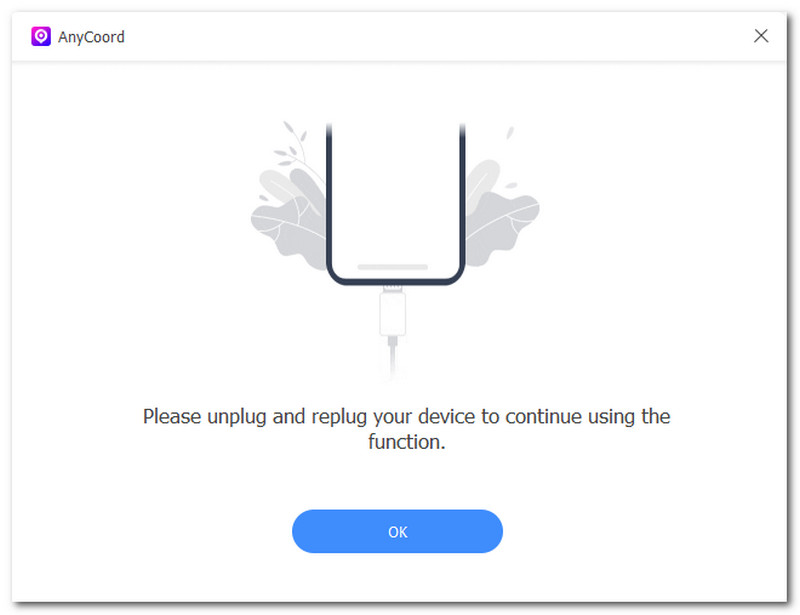
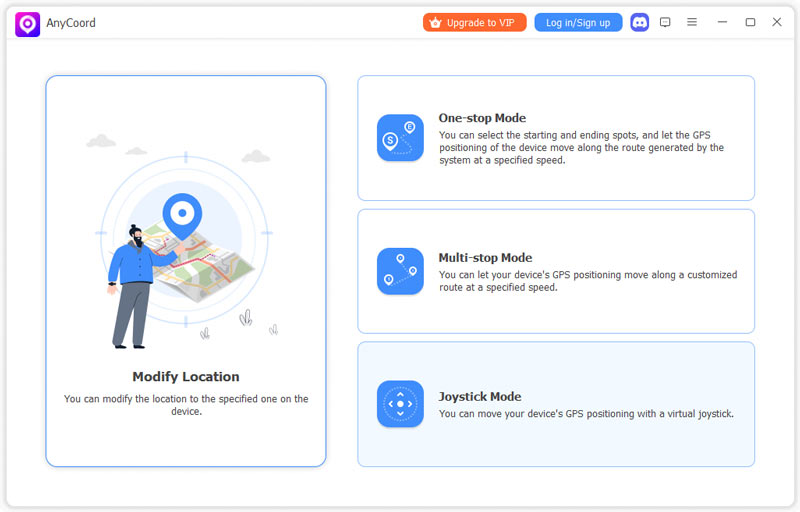
Step 2. Open the AnyCoord software tool on your desktop device, then select the Modify Location option from its main interface.
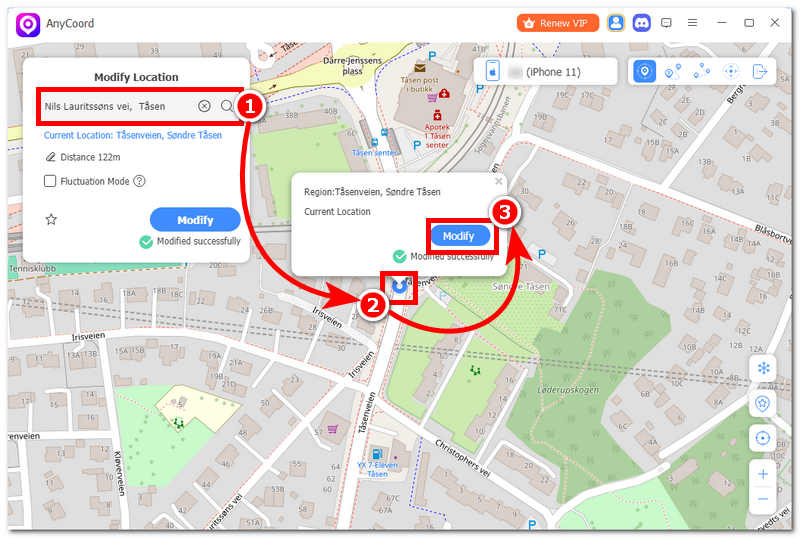
Step 3. Lastly, use the software’s search bar, located in the upper-left corner of the tool, to find a location you can use for your TikTok location tagging. Once you have your area set up, click the Modify button to finally save the location changes in your mobile device.
Part 5. FAQs about The Best Location for TikTok Views
Does location affect TikTok views?
Yes, location affects how a TikTok video is seen by other users, as TikTok often prioritizes promoting videos with a location set or tagged in the FYP.
What is the best way to get more TikTok views?
There is no such thing as ‘the best’ location to get more TikTok views, as the success of a video depends on many factors; location is just one of them.
Conclusion
To wrap things up, TikTok location plays a role in how one TikTok video gets to be seen by other users. Whether by nearby users or other users setting or tagging a location in a TikTok video before posting it is much better than just leaving it none. This article not only discusses why setting a TikTok location in a video matters but also lists factors that help a user choose a location, and provides a subjective list of potential best locations for TikTok views as a user guide and basis.
AnyCoord is the best tool to change, hide, or spoof your location in games, social media apps, and other apps on iPhone or Android devices.
100% Secure & Clean
100% Secure & Clean